
Cloudflare Tunnels
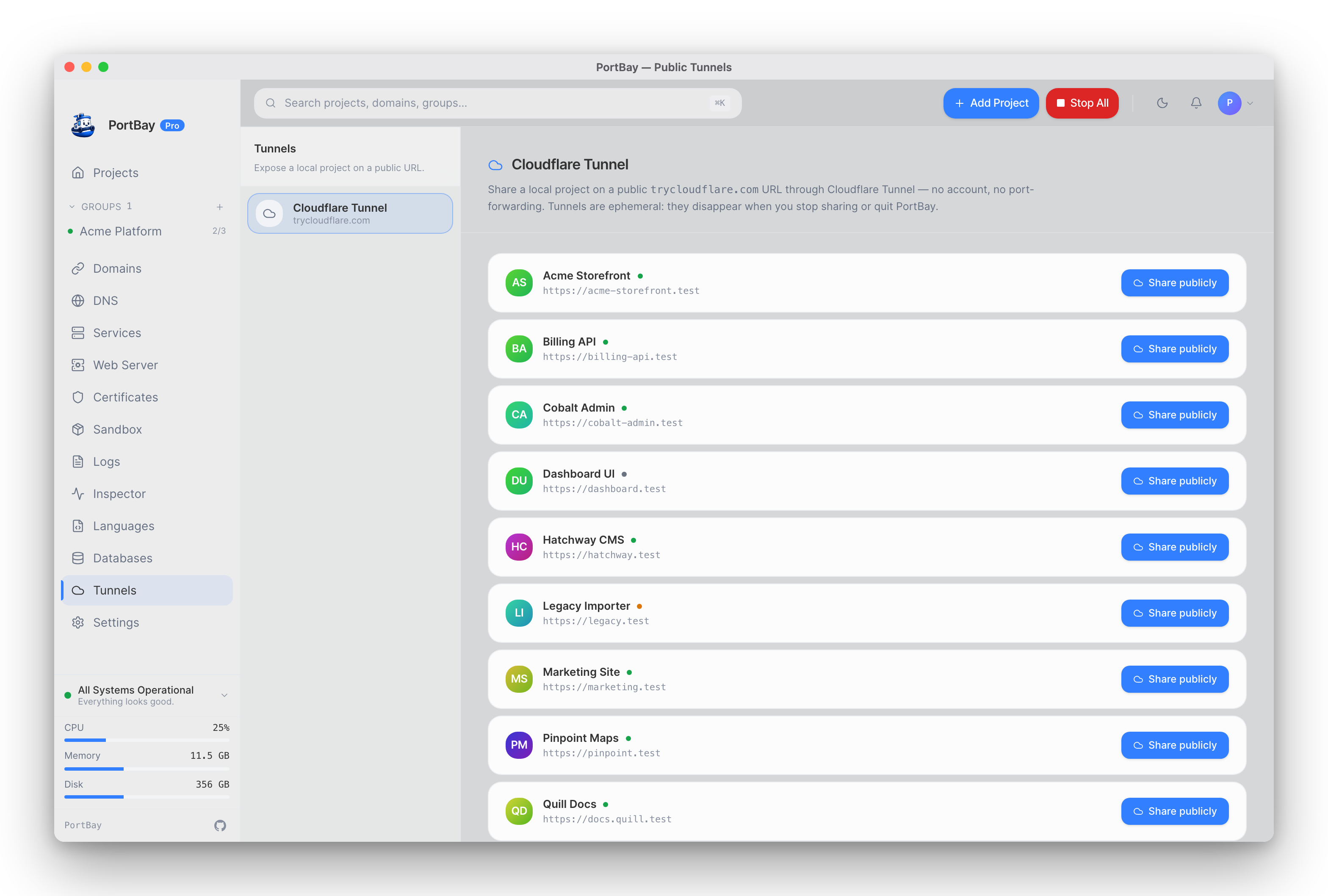
Share a local project on a public URL — no account, no port-forwarding, no firewall rules.
Concept
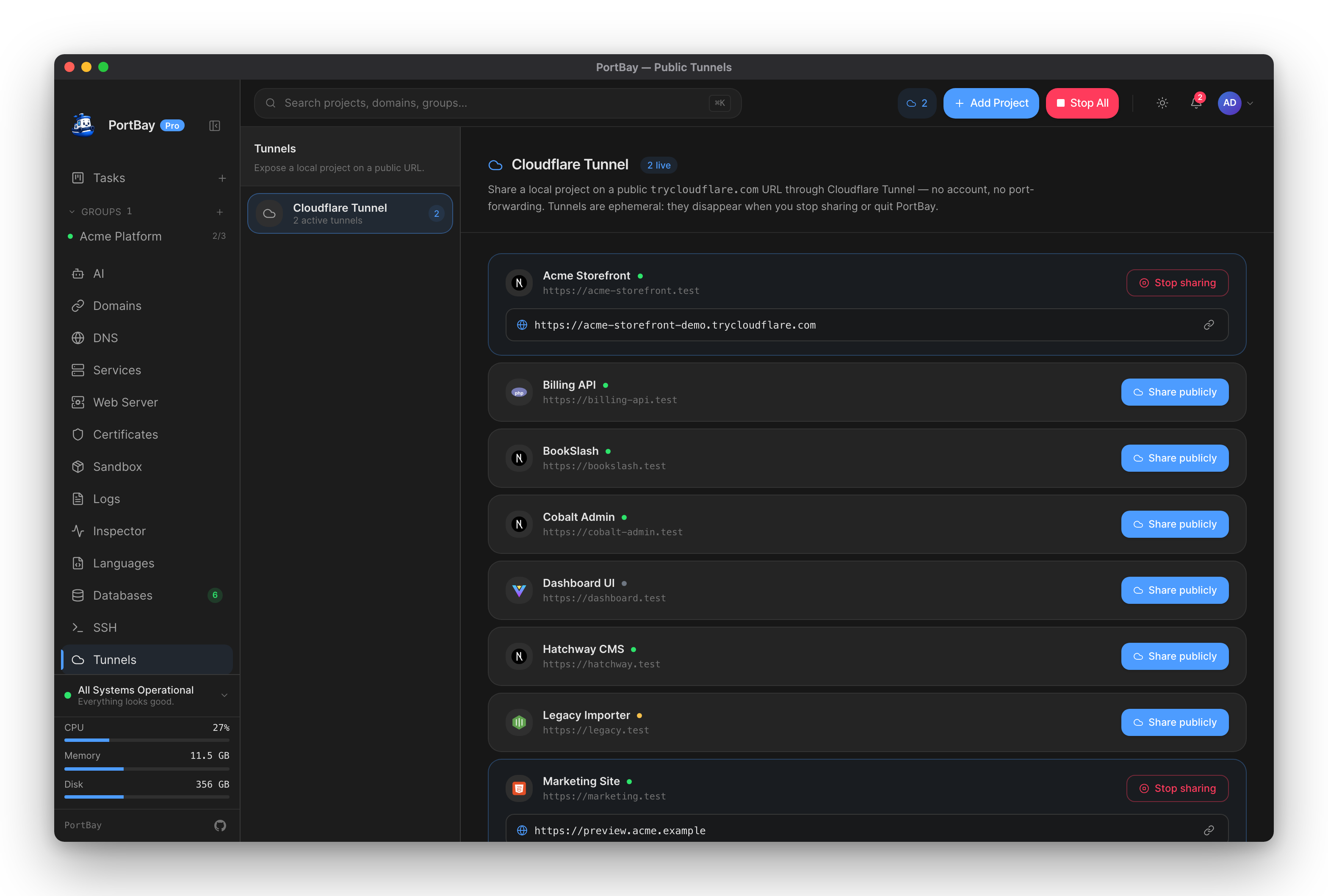
Cloudflare offers a free anonymous tunneling tier via trycloudflare.com. PortBay bundles cloudflared as a sidecar binary and spawns one child process per project you choose to share. Once cloudflared connects to Cloudflare's edge, it prints an assigned URL to stdout (e.g. https://random-name.trycloudflare.com). PortBay tails that output, extracts the URL, and shows it in the Tunnels view.
Tunnels are ephemeral. The public URL is valid only while the cloudflared child is running. It disappears when you click Stop sharing, quit PortBay, or PortBay crashes. Cloudflare assigns a different random subdomain each time you start a new tunnel.
The cloudflared sidecar
cloudflared is bundled with PortBay as a Tauri sidecar binary registered under binaries/cloudflared in tauri.conf.json. You do not need a separate installation. If the sidecar is missing (unusual — possible if you built from source and skipped the binary), PortBay falls back to a cloudflared binary on your PATH. If neither is found, the start attempt fails with a BinaryMissing error.
The command PortBay runs:
cloudflared tunnel --url <upstream-url> --no-autoupdate --no-tls-verify--no-tls-verify is passed because the upstream is your local dev server, which may use a self-signed mkcert certificate. Cloudflare's edge terminates TLS to the public; the local leg is inside loopback.
URL assignment timing
After spawn, the backend polls at 200 ms intervals for up to 20 seconds for cloudflared to announce the trycloudflare.com URL. Real-world assignment takes 2–6 s on a normal connection. If 20 s elapses with no URL, the command returns a timeout error and no tunnel entry is stored.
Upstream URL resolution
PortBay derives the upstream URL from the project's registry record — you do not specify it manually. If the project has HTTPS configured, the upstream is https://<hostname>; otherwise http://<hostname>. The Tunnels page shows the resolved upstream next to each project.
Quickstart
- Open PortBay and navigate to Tunnels in the sidebar.
- Every registered project is listed. Find the project you want to share.
- Click Share publicly.
- Wait for the "Establishing tunnel" indicator to resolve — typically a few seconds.
- The
trycloudflare.comURL appears. Click the copy button and share it. - When done, click Stop sharing on the same row.
How-To
Start a tunnel for a project
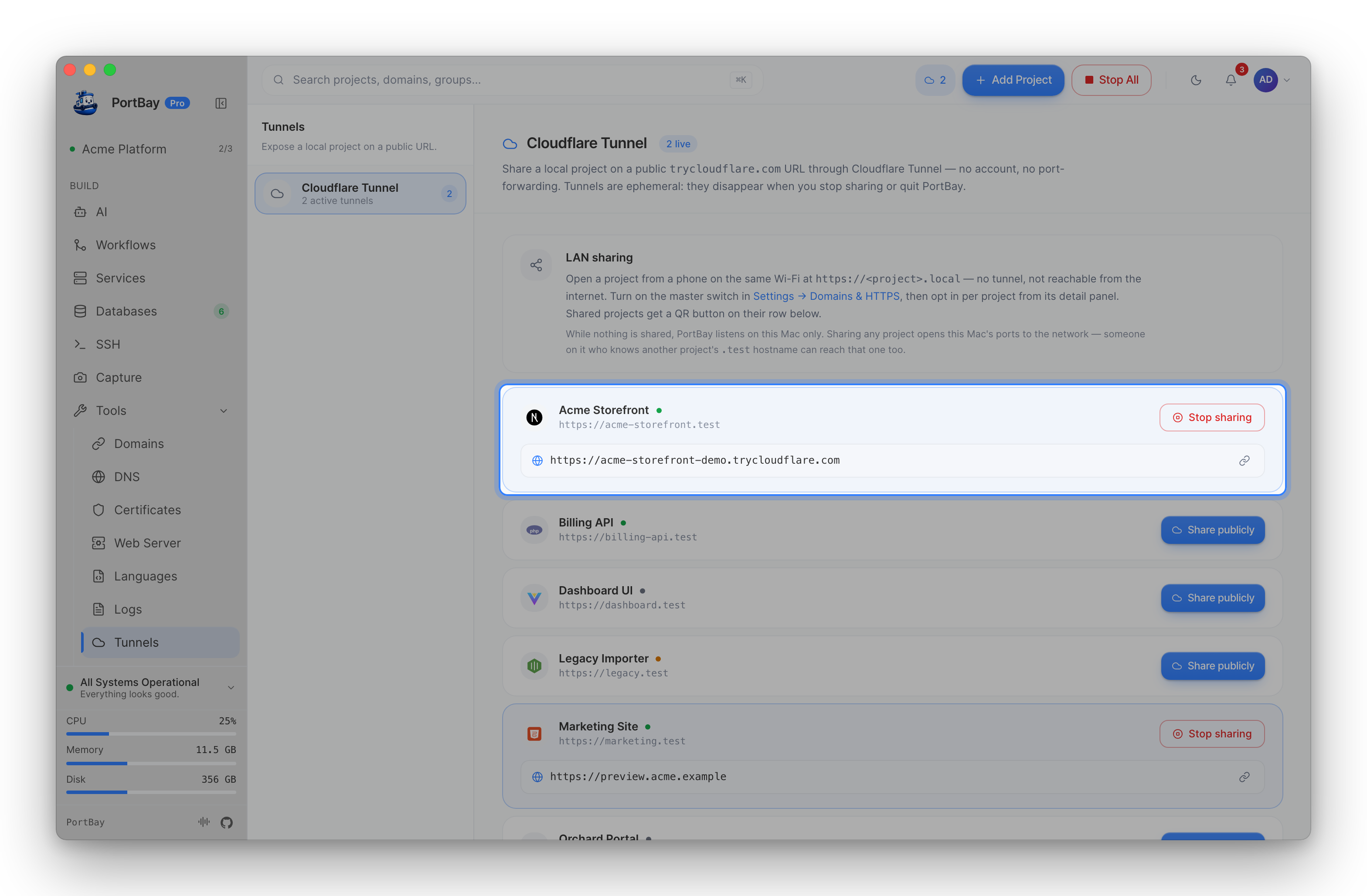
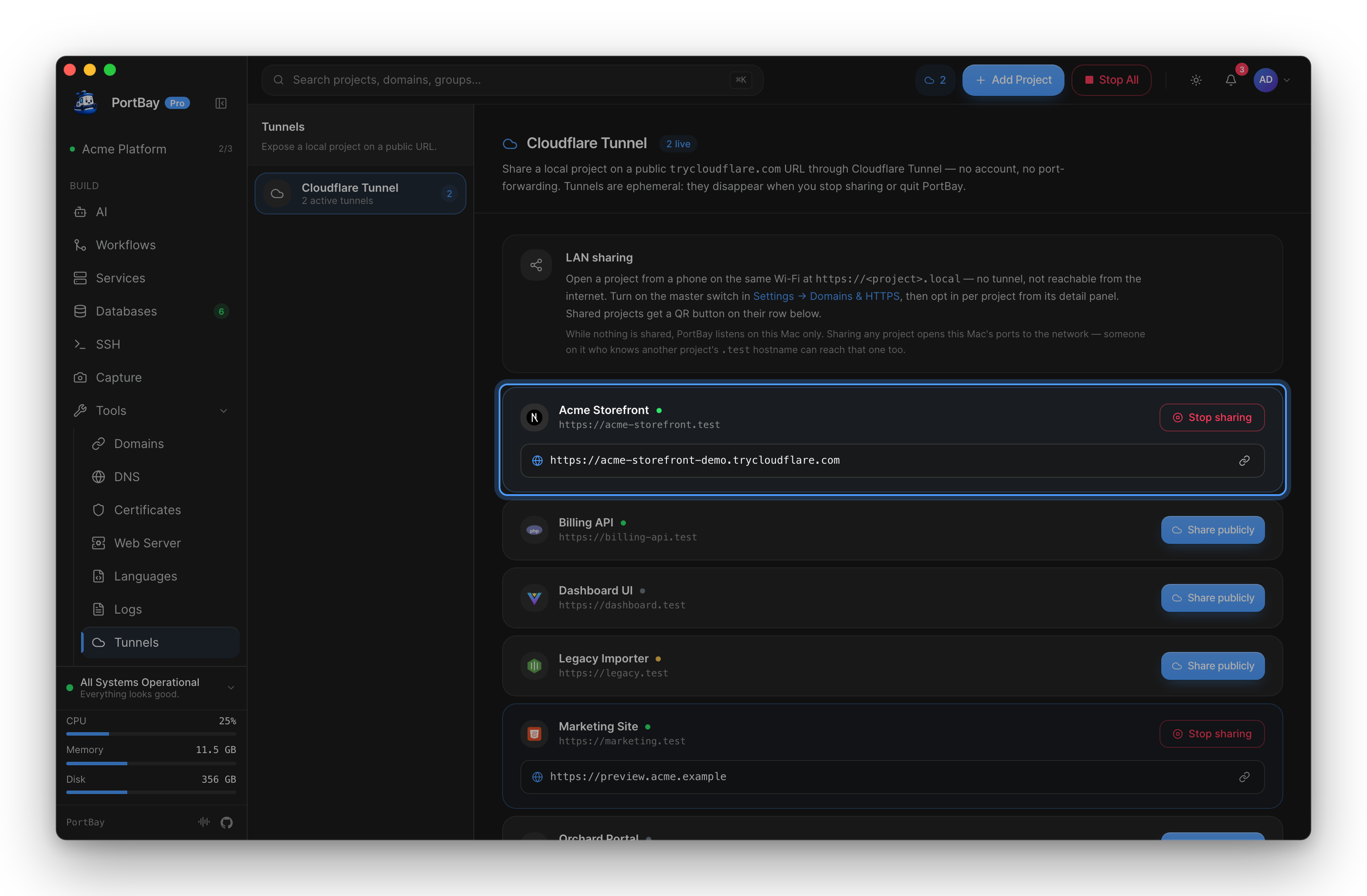
On the Tunnels page, click Share publicly on the project row. The button changes to a spinner labelled Starting… while the backend spawns cloudflared and waits for the URL. The row shows an Establishing tunnel message during this window.
Once the URL is assigned, it appears below the project row with a copy button.
A project does not need to be running for you to start a tunnel. If the project process is stopped, visitors will see PortBay's "waking up" page. The Tunnels page warns you when this is the case.
Starting a tunnel for a project that already has one running returns an error — one tunnel per project at a time.
Stop a tunnel
Click Stop sharing on the active project row. The button shows Stopping… briefly while the backend kills the cloudflared child. The row returns to its idle state. The trycloudflare.com URL is immediately unreachable.
View active tunnels
The Tunnels page lists all registered projects. Projects with an active tunnel show:
- A highlighted card (accent background, accent border)
- The assigned
trycloudflare.comURL - A copy button next to the URL
The sidebar and TopBar also reflect a live count of active tunnels. The frontend polls list_tunnels every 5 seconds, so the count stays in sync even if a tunnel exits unexpectedly.
Copy the public URL
Click the link icon on the right side of the URL row. A toast confirms the copy. Clicking it again while the URL is already on the clipboard is harmless.
Reference
TunnelStatus fields
These fields are returned by list_tunnels and start_tunnel and drive everything displayed in the UI.
| Field | Type | Description |
|---|---|---|
projectId | string | ID of the PortBay project this tunnel belongs to. |
upstreamUrl | string | The local URL cloudflared is proxying — derived from the project's registry record. |
publicUrl | string | null | The assigned trycloudflare.com URL, or null while Cloudflare is still assigning it. |
running | boolean | Whether the cloudflared child process is still alive. |
startedAtMs | number | Wall-clock time when the tunnel was started, in Unix milliseconds. |
Tauri commands
| Command | Arguments | Returns | Description |
|---|---|---|---|
start_tunnel | id: string | TunnelStatus | Spawn cloudflared for the project, block until the public URL is assigned, return the status. Errors if the project is not found or a tunnel is already running. |
stop_tunnel | id: string | void | Kill the cloudflared child for the project. Errors if no tunnel is running. |
list_tunnels | — | TunnelStatus[] | Return all active tunnels sorted by project ID. |
tunnel_status | id: string | TunnelStatus | null | Return the status for a single project, or null if no tunnel is running for it. |
Error conditions
| Error | Meaning |
|---|---|
BinaryMissing | cloudflared sidecar not found and not on PATH. |
SpawnFailed | OS rejected the child process spawn. |
AlreadyRunning | A tunnel for this project is already active — stop it first. |
NotRunning | stop_tunnel called for a project with no active tunnel. |
UrlTimeout | cloudflared spawned but did not announce a public URL within 20 seconds. Check your internet connection. |