
Text-to-Speech
Turn text into natural-sounding speech without a cloud voice API. PortBay runs the Kokoro text-to-speech model on your Mac through the same portbay-stt sidecar that powers Speech-to-Text — pick a voice, type, and play it back. Synthesized clips can be replayed instantly and exported as .wav.
Everything runs on your Mac: the text, the model, and the audio.
Quickstart
- Open AI in the sidebar (
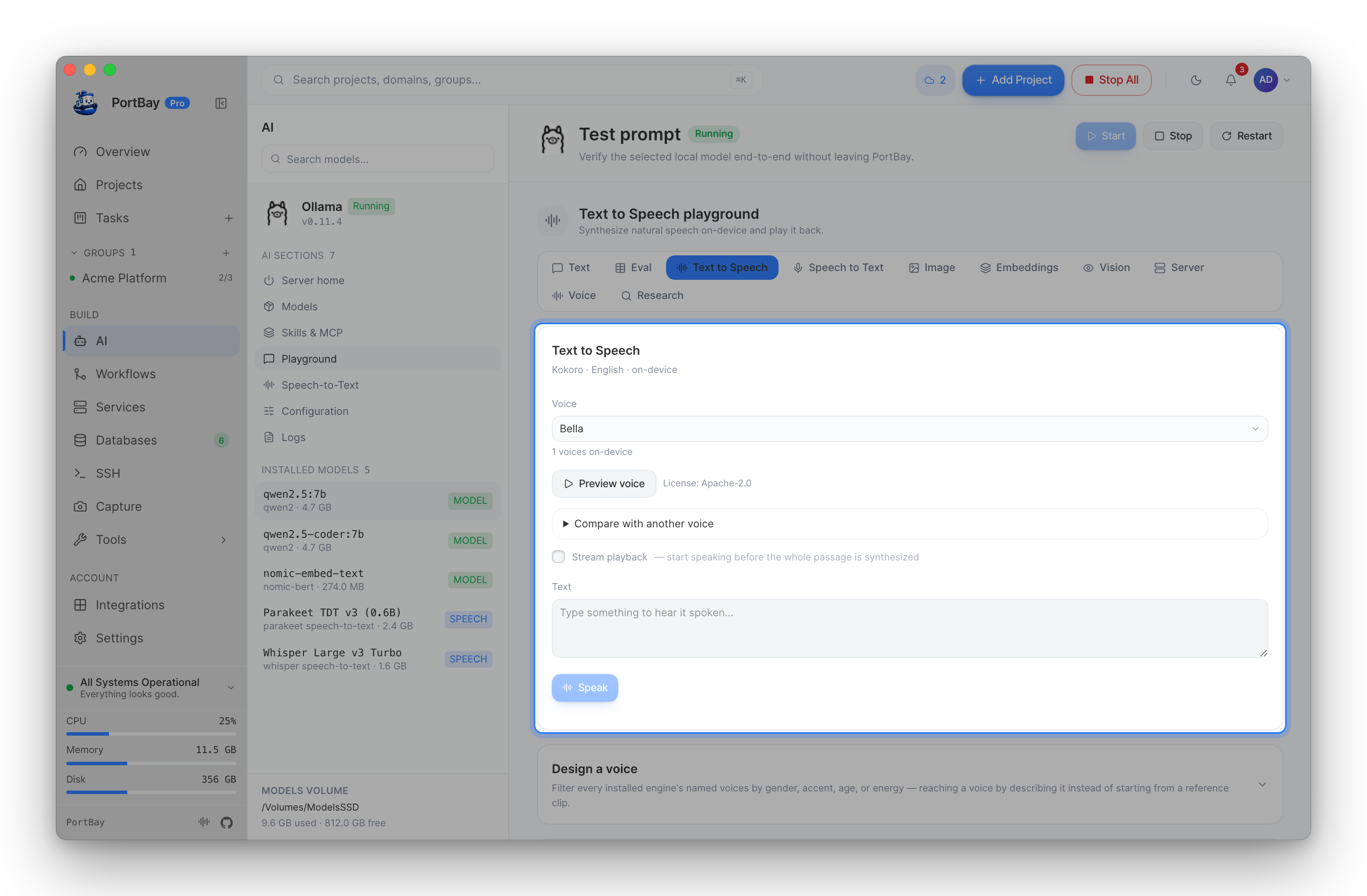
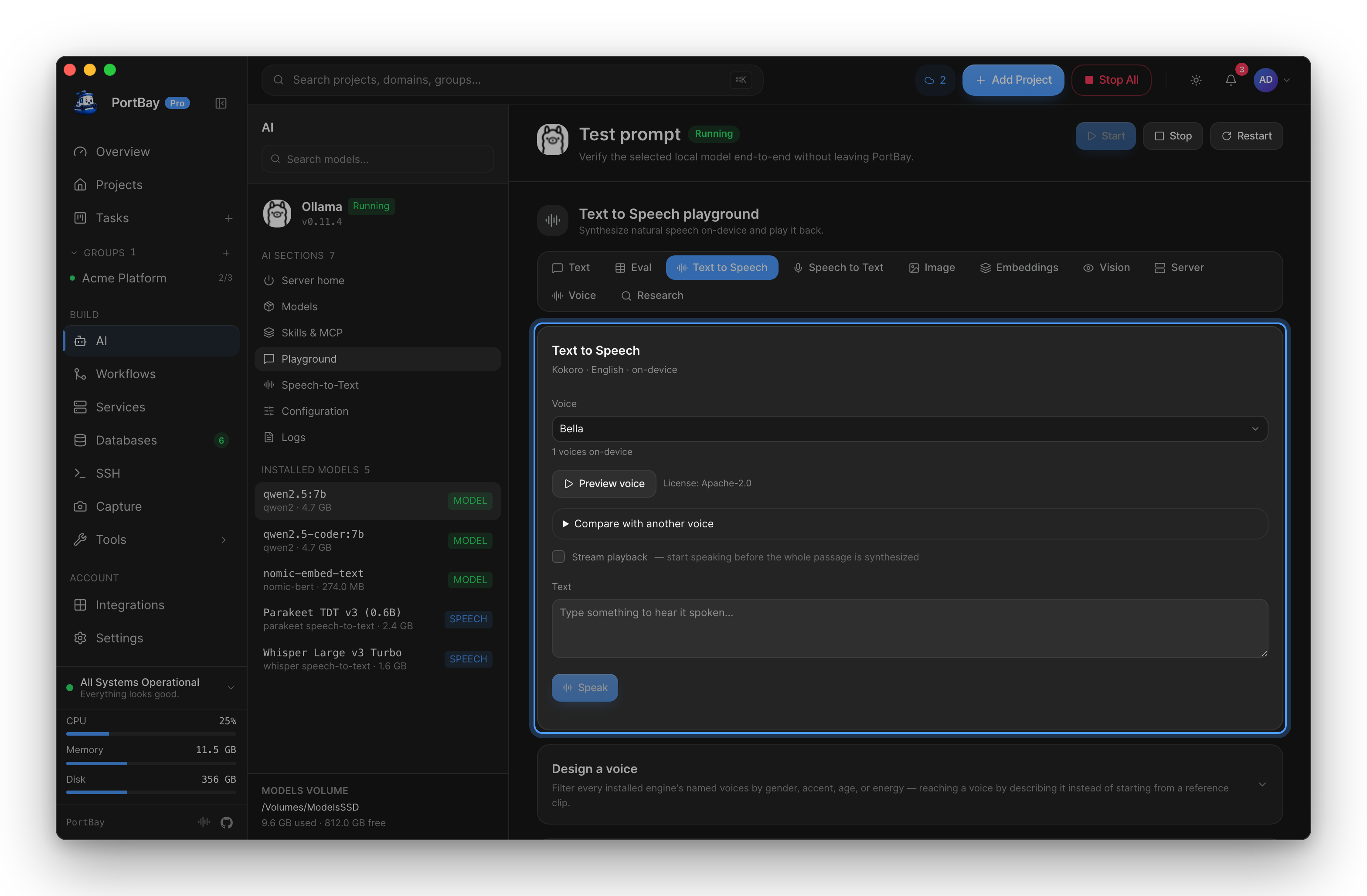
/ai) and go to the Playground → Text to Speech tab (or jump straight there with/ai?playground=tts). - The first time, click Download voice model to fetch Kokoro into PortBay's models folder.
- Choose a Voice, type some Text, and click Speak.
- The clip plays automatically. Replay plays it again without re-synthesizing; Export .wav saves it.
How it works
PortBay hands your text and the chosen voice to the bundled speech sidecar, which synthesizes the audio on-device and returns a WAV clip. Nothing is streamed to a server.
| Control | What it does |
|---|---|
| Voice | Pick from the model's voices, grouped American / British × female / male. |
| Text | What to speak. |
| Speak | Synthesize and play. While the text and voice are unchanged, the button becomes Replay and plays the cached clip without re-synthesizing. |
| Export .wav | Save the last synthesized clip as a .wav file. |
Editing the text or switching the voice flips Replay back to Speak — the cached clip no longer matches the inputs, so PortBay re-synthesizes.
Where the model lives
The Kokoro voice model is downloaded once and shares the AI-models root with Ollama and image models — set AI → Configuration → Models directory once and all three live together. You can also download and manage it from the Models → Text-to-Speech family; it then appears in the same installed-models list as your speech-to-text and Ollama models.
Reference
Requirements
| Needs |
|---|
macOS 14+, the bundled portbay-stt sidecar, and the downloaded Kokoro voice model. |
Text-to-Speech is macOS-only (it shares the speech sidecar with Speech-to-Text). If the sidecar or model is missing, the panel says so rather than failing silently.
Commands
The playground drives these Tauri commands; they're the same surface the rest of the app uses:
| Command | Purpose |
|---|---|
tts_overview | The model catalog, install state, and available voices. |
tts_download_model | Download the Kokoro voice model (streams progress). |
tts_speak | Synthesize one clip from text + voice and return WAV. |
Troubleshooting
| Symptom | Likely cause | Next action |
|---|---|---|
| The tab shows only "Download voice model" | The Kokoro model isn't installed yet | Click Download voice model and wait for the progress bar to finish. |
| No catalog / "No text-to-speech models" | The sidecar couldn't report a catalog | Reinstalling PortBay restores the bundled sidecar; Text-to-Speech needs macOS 14+. |
| Speak is disabled | The text box is empty | Type something to synthesize. |
| The clip won't replay after I edit the text | Replay only re-plays the exact last clip | That's expected — once text or voice changes, click Speak to synthesize the new version. |
Related
- Speech-to-Text — the reverse direction: speak, and get clean text back, on the same sidecar.
- Local AI (Ollama) and Image Generation — the other on-device AI surfaces.