
Certificates
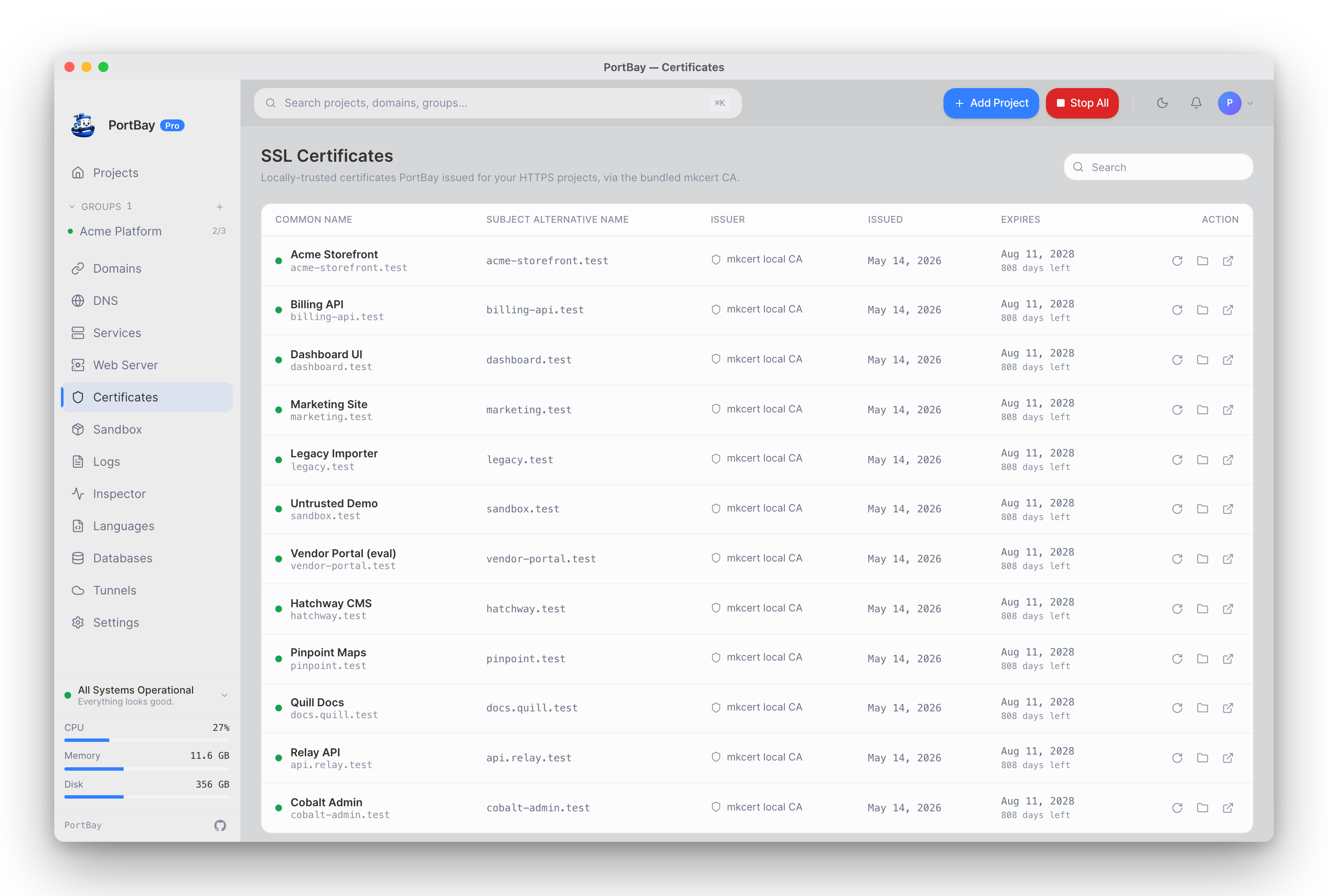
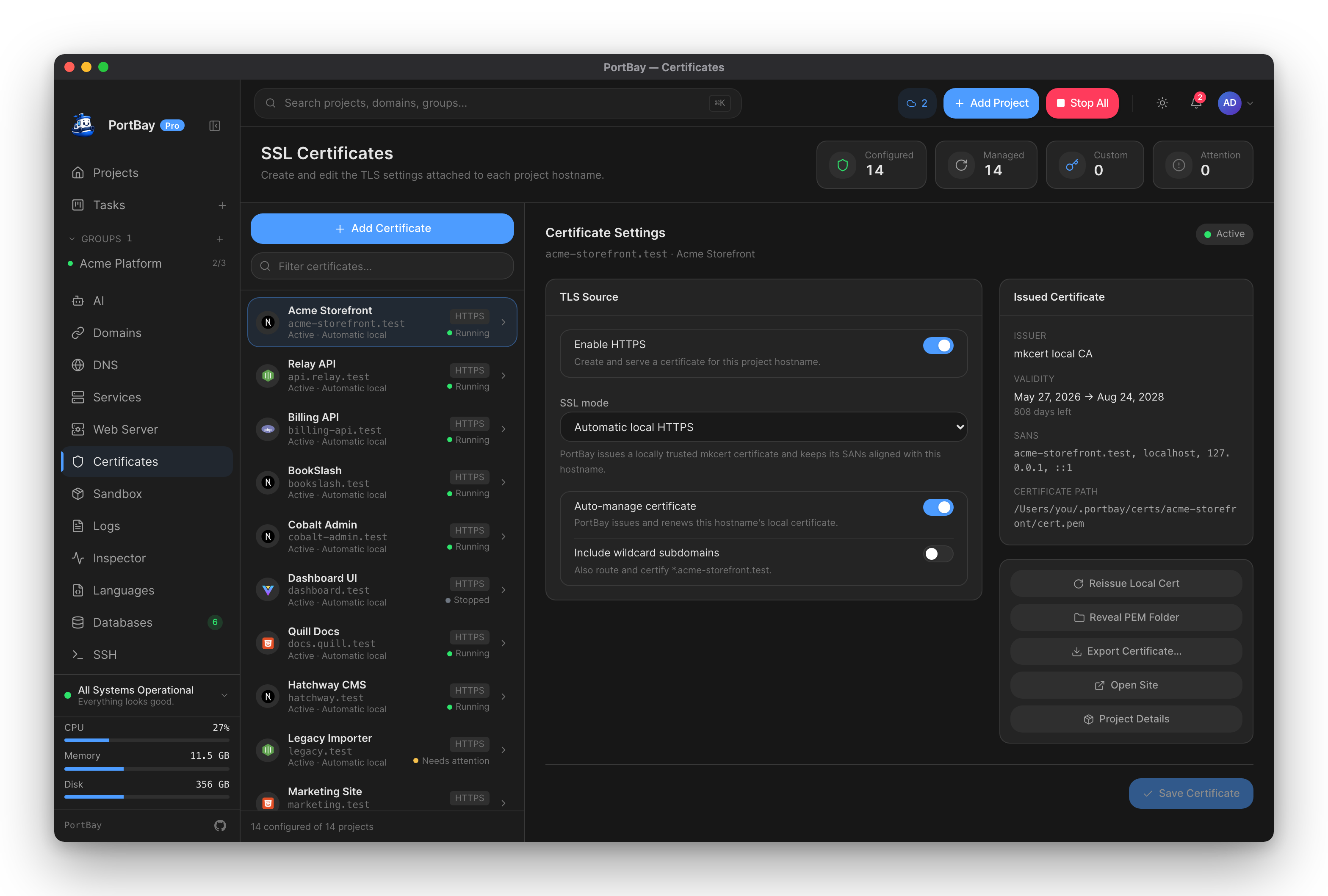
The Certificates page lists every HTTPS project with its common name, issuer, and expiry, and lets you reissue a certificate from the row actions. A certificate in PortBay is always the TLS configuration for a project hostname — there's no standalone certificate vault separate from the project it serves.
The Local Certificate Authority
PortBay generates its own root certificate authority (CA) rather than running the stock mkcert -install. An unconstrained mkcert -install root, once trusted, could mint a valid-looking certificate for any hostname on the internet — not something you want sitting in your login Keychain. Instead, PortBay's CA carries an X.509 nameConstraints extension (RFC 5280 §4.2.1.10, marked critical) that scopes it to exactly your configured domain suffix plus the fixed loopback names (localhost, 127.0.0.1, ::1). A validator that understands nameConstraints refuses any certificate this CA signs for a name outside that list.
- The CA root lives at the standard mkcert
-CAROOTpath (~/Library/Application Support/mkcert/rootCA.pemon macOS), somkcert's own cert-issuance commands keep working against it if you use them directly. - Trust is installed via
SecTrustSettingson macOS (added to your login Keychain), not by shelling out tomkcert -install. - Doctor's "mkcert CA trust" check reads this same file and verifies it against the OS/browser trust store independently of whether the CA process itself is running — this catches the case where the CA was removed from Keychain after install, which nothing else surfaces.
See First Run for what happens the first time this CA is created and trusted, and Troubleshooting → Certificate Re-Trust if a browser warning persists after reissuing a certificate.
Per-Project Certificate Model
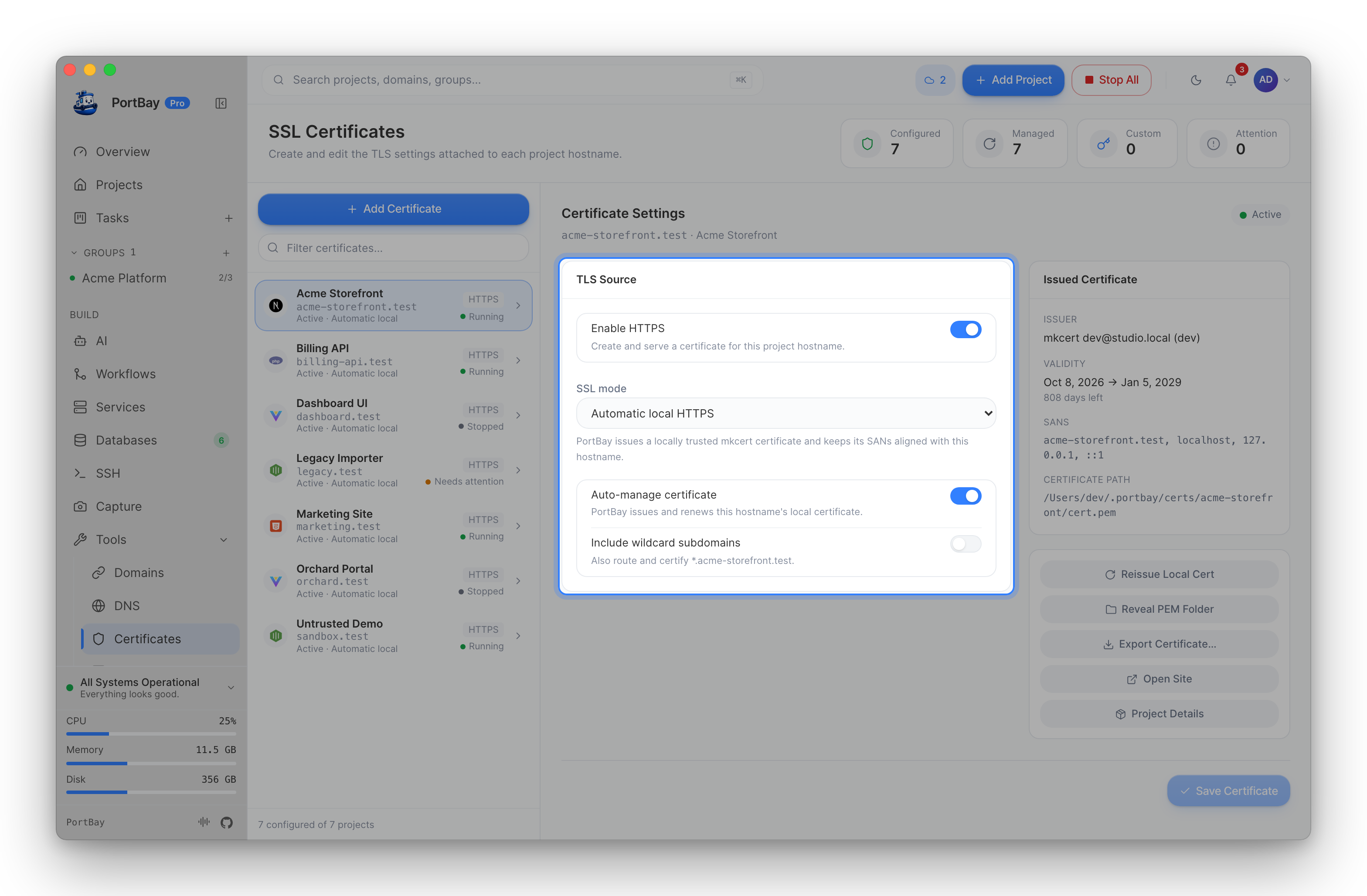
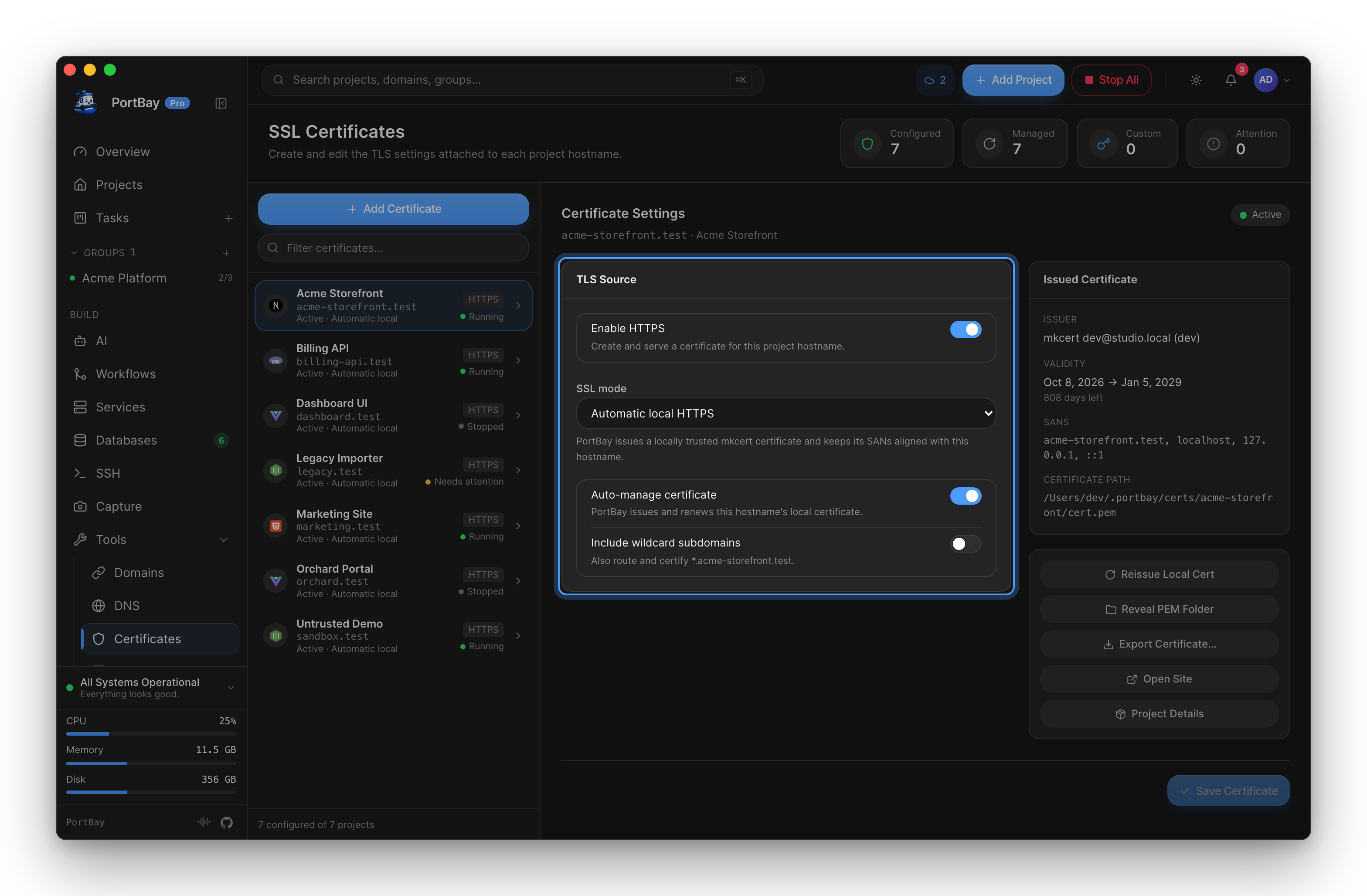
Certificates live under:
~/Library/Application Support/PortBay/certs/<project-id>/Every HTTPS project defaults to SslMode::AutomaticLocal — PortBay issues and auto-renews a locally-trusted mkcert certificate covering the project's hostname plus the loopback trio. Other modes, set per project from the Certificates or Domains page:
| Mode | Behavior |
|---|---|
| Automatic (local) | Default. PortBay issues and renews the certificate from its scoped local CA. |
| Custom certificate | You supply your own certificate and private key paths — see below. |
| Self-signed | Explicit fallback for local testing where a browser warning is expected. |
| Public ACME | Placeholder for future public-domain automation; not enabled for .test. |
Enabling include wildcard subdomains on a project also routes and certifies *.hostname — this only resolves through the dnsmasq wildcard resolver, since a plain /etc/hosts entry can't express a wildcard.
Custom Certificates
When a project uses SslMode::CustomCertificate, PortBay validates your certificate against the hostname it needs to cover before Caddy loads it:
- The certificate must cover the project's own hostname (and
*.hostnametoo, if wildcard subdomains are enabled) — checked with proper RFC 6125 §6.4.3 wildcard-matching semantics (*.foo.testcoversbar.foo.testbut never the barefoo.testitself, nor a deepera.b.foo.test). - It does not need to carry
localhost/127.0.0.1/::1SANs. That loopback trio is only required on PortBay's own mkcert-issued certificates, which also need to serve the loopback interface directly — an ordinary certificate you bring for your own hostname has no reason to carry them, and requiring them would reject a perfectly valid certificate on every reconcile tick. - If validation fails, the error names exactly which SAN is missing and what the certificate's actual SANs are, rather than a generic "does not cover" message.
- The certificate is also checked for expiry, and — when
opensslis available — that the certificate and private key actually match, without ever printing key material.
Renewal & Expiry
Doctor surfaces per-project certificate expiry (Web routing & TLS category) using the same PEM-parsing path the Certificates panel itself uses, so the two can't drift. Automatic-mode certificates are reissued by the reconciler ahead of expiry; custom and self-signed certificates are your responsibility to rotate — Doctor's expiry warning is your signal to do so.
When A Browser Rejects A Local Certificate
- Verify the mkcert root is installed and trusted (Doctor's CA trust check, or Keychain Access → search "mkcert").
- Verify the project hostname matches the certificate Caddy is actually serving — reissue from the Certificates panel if it doesn't.
- Restart Caddy — a certificate swap only takes effect on the next reload.
- If the warning persists after all of the above, see Troubleshooting → Browser HSTS Cache — a cached HSTS pin can look identical to a real certificate mismatch.
Via MCP (Agent-Driven)
Two tools cover certificate tasks:
portbay_cert_info— read certificate metadata (paths, issued/expiry dates, SANs) for one or all projects. No daemon required; reads cert files directly.portbay_reissue_cert— delete a project's cert so the running PortBay app mints a fresh one and reloads Caddy on its next reconcile (≤30s). Installing the mkcert CA into the system trust store is privileged and interactive — this is done from the app, not via MCP.
See the Tool Reference for the full argument and return-type details.