
Speech-to-Text
Dictation is the fastest way to get a thought into a task card, a commit message, or an agent prompt — and the slowest way to get one you'd actually keep. Raw transcripts ramble, lose your jargon, and keep your false starts.
Speech-to-Text fixes the transcript instead of making you fix it. Hold Fn 🌐 in any PortBay field and talk; when you stop, a local AI model polishes what you said — a light touch-up when your speech was already clean, a restructure when it rambled. PortBay, Tailwind, your project names, and your own custom terms survive intact, and ⌘Z always restores your exact words. If the rewrite fails for any reason, your words stay exactly as transcribed — the feature degrades to plain dictation, never to lost text.
Everything runs on your Mac: the audio, the transcript, and the rewrite.
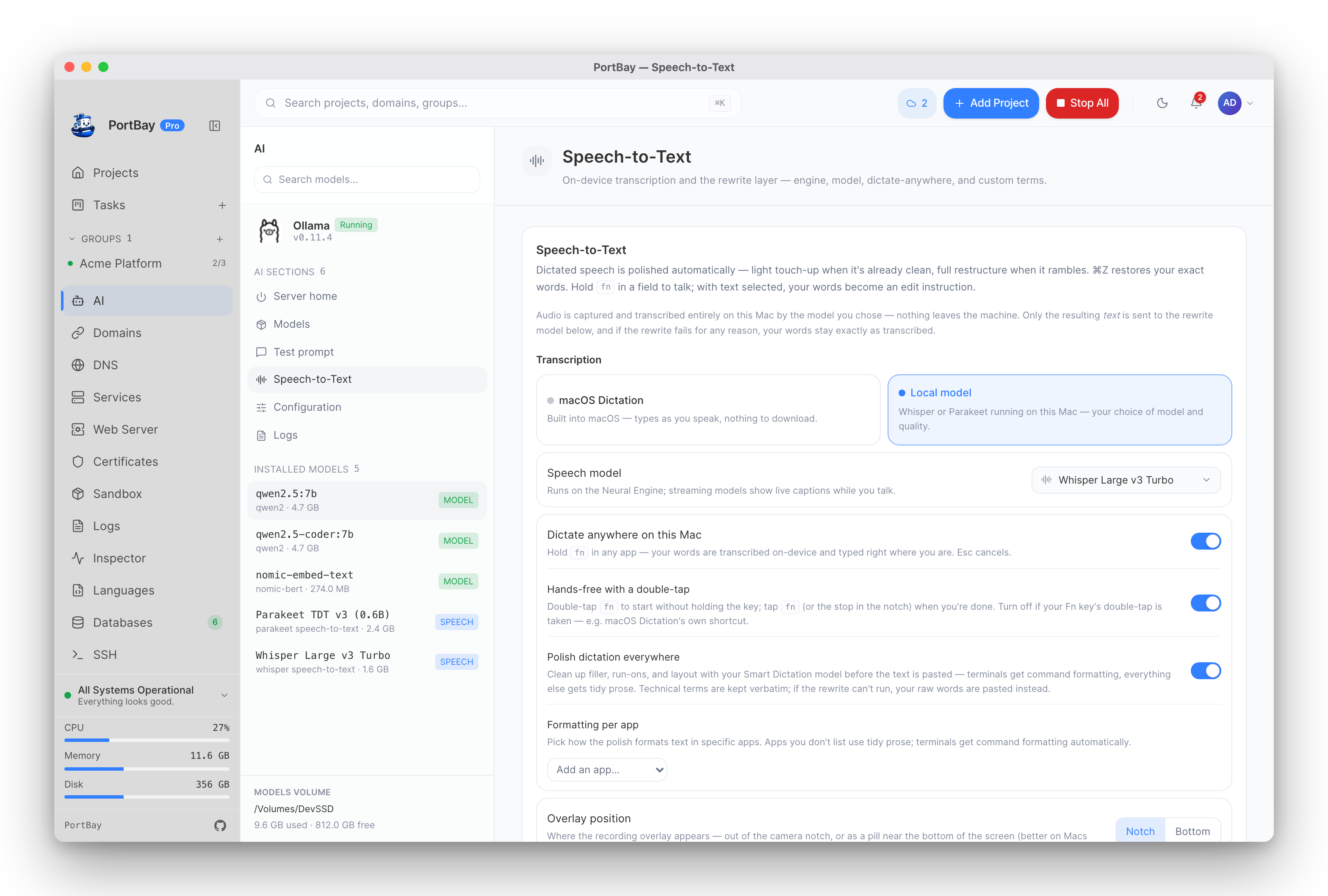
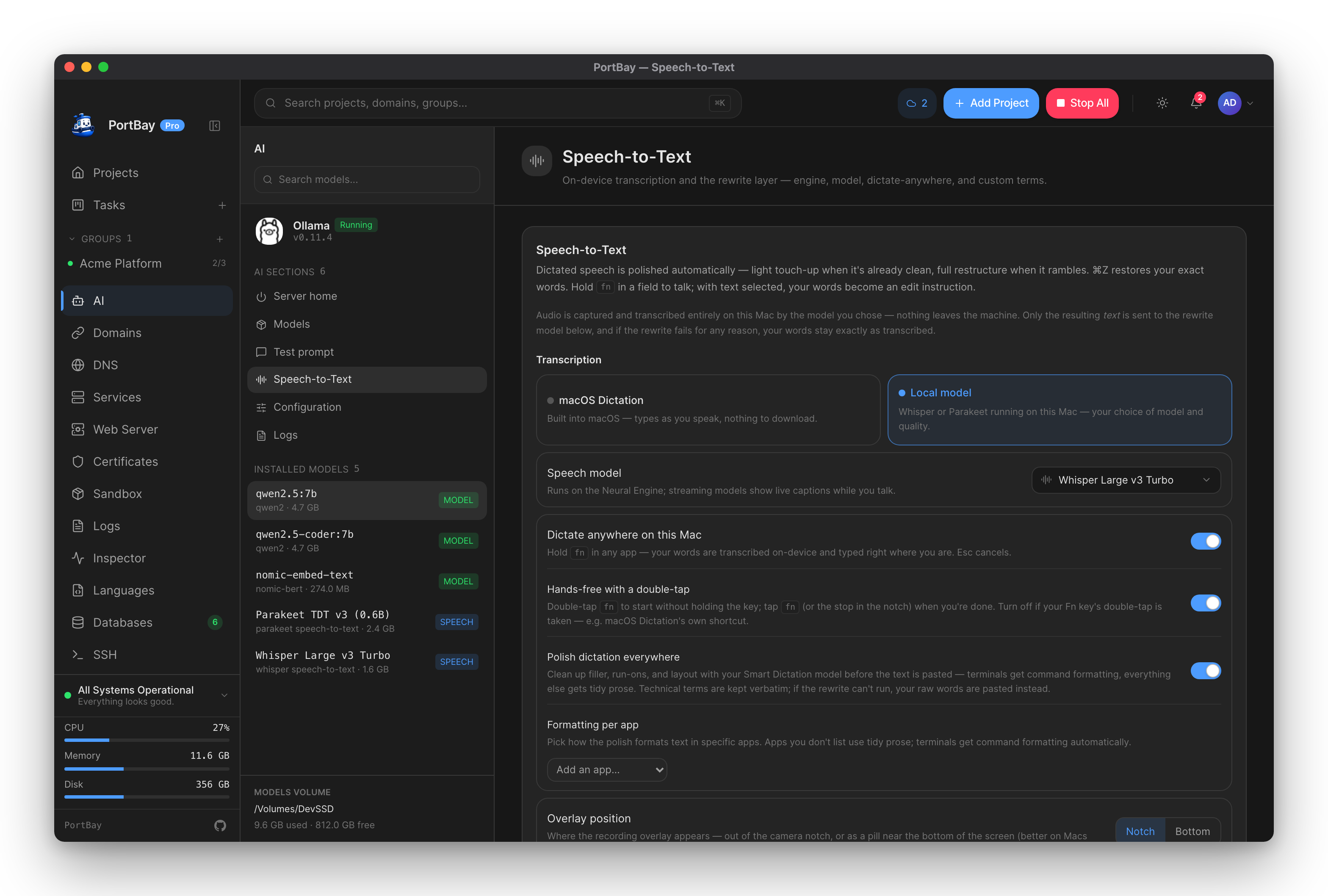
The Speech-to-Text panel on the AI page: pick who transcribes (upstream) and who polishes (downstream). Both run locally.
Quickstart
- Focus any text field in PortBay — a card title, an agent prompt, a commit message.
- Hold Fn 🌐 and speak. (Or click the mic button where one is shown.)
- Release. The transcript lands, the rewrite polishes it in place.
- Don't like the polish? ⌘Z — your raw words come back.
Nothing to configure: macOS Dictation transcribes and Apple Intelligence rewrites by default, both on-device. The settings below are for upgrading either half.
How it works
Two halves, independently swappable:
your voice ──▶ transcription engine ──▶ rewrite model ──▶ the field
(macOS or local model) (Apple or Ollama)The rewrite is vocabulary-aware: your custom terms, technical terms visible on the surface you're dictating into, jargon learned from your past dictations, and your project/host names are all injected so the model corrects toward your vocabulary ("shop if I" → Shopify) instead of away from it. It never invents facts — output that adds information the transcript didn't contain is rejected and your raw words are kept.
With text selected, your words become an edit instruction: select a paragraph, hold Fn, say "make this a bullet list" — the selection is transformed instead of appended.
Transcription engines
macOS Dictation (default)
Zero setup, zero download. The OS types as you speak. Audio is captured by macOS itself (corespeechd), not by PortBay.
Local model
Swap the recognizer for a Whisper or Parakeet model running on your Mac's Neural Engine — your choice of accuracy, language coverage, and speed. Streaming models show live captions while you talk. Requires macOS 14+.
| Model | Size | Languages | Character |
|---|---|---|---|
| Parakeet TDT v3 (0.6B) | ~2.4 GB | 25 European languages | Fastest on Apple Silicon — near-instant transcription on the Neural Engine. |
| Whisper Large v3 Turbo | ~1.6 GB | 99 languages | Best accuracy-per-second in the Whisper family — the default Whisper pick. |
| Distil-Whisper Large v3 | ~1.5 GB | English | Close to Turbo speed, English only. |
| Whisper Large v3 | ~3.1 GB | 99 languages | Most accurate, slowest — when every word matters more than latency. |
| Whisper Medium (English) | ~1.5 GB | English | A lighter download for English-only dictation. |
Download and manage these from the AI page's Models section — speech models appear in the same installed list as Ollama models and share the same models volume. A download seals with a completion marker, so an interrupted pull can never masquerade as an installed model.
The rewrite model
| Provider | Runs on | Setup |
|---|---|---|
| Apple Intelligence (default) | This Mac, on-device | None — macOS 26+ with Apple Intelligence enabled. |
| Ollama | This Mac, your server | Local AI guide — one click. |
For power users, qwen2.5:7b on Ollama is the data-backed upgrade: in PortBay's jargon A/B testing it dropped fewer clauses in dense, correction-heavy speech and applied custom vocabulary more reliably than the built-in on-device model. When PortBay detects a running Ollama while Apple Intelligence is active, the panel offers the switch — one click, same privacy.
Custom terms is the one lever for words dictation reliably garbles — names, brands, jargon ("refactor", "Tailwind", "Shopify"). Comma-separated; the first 12 are used, and only when something resembling them was actually spoken.
Dictate anywhere on this Mac
With the local engine active, dictation stops being a PortBay feature and becomes a Mac feature: hold Fn 🌐 in any app — your editor, browser, Slack — and speak. A recording HUD grows out of the camera notch with a live frequency animation, an elapsed clock, and a stop control; release Fn and the transcript is typed right where your cursor is. The same HUD appears when you dictate inside PortBay with the local engine.

Dictating into another app: the HUD lives in the notch, the words land at your cursor.
- Hold Fn at least a beat (a quick tap stays the emoji picker / input-source switch — PortBay doesn't take your Fn key).
- Double-tap Fn for hands-free: the session stays live without holding the key — tap Fn again, or click the stop control in the notch, when you're done. (Turn this off in the panel if your Fn key's double-tap is already taken.)
- Esc cancels and discards — nothing is typed.
- Transcription runs on the model you chose, on-device. The text is delivered as a paste to the app you were in when you pressed Fn; your clipboard is restored afterwards, and the transcript is marked transient so clipboard managers (Maccy, Raycast, Paste) skip recording it.
- Works over full-screen apps and on every Space. On displays without a notch, the HUD floats under the menu bar.
Enable it on the AI page → Speech-to-Text → Dictate anywhere on this Mac. It needs two explicit choices from you: a downloaded local speech model, and macOS's Accessibility permission (required for the global hotkey and for typing into other apps — the panel walks you through the grant, no restart needed).
A dictation is never lost
Pastes can go wrong — a secure field eats the ⌘V, or focus slipped to the wrong window. PortBay keeps a safety net, entirely on your Mac:
- If the paste fails, the transcript is left on your clipboard and the notch says so — press ⌘V yourself.
- The last 20 anywhere-dictations are kept locally: the tray menu's Paste Last Dictation re-delivers the newest into whatever app you're in, and the Speech-to-Text panel's Recent dictations list lets you copy any of them (or clear the lot).
- Silence is filtered: Whisper's well-known silence artifacts ("thank you for watching" on an empty mic) are dropped instead of pasted.
Privacy
- Audio never leaves your Mac. The macOS engine captures in
corespeechd; the local engine captures in PortBay's bundled speech sidecar and transcribes on the Neural Engine. - Only text — the transcript — is sent to the rewrite model, and both providers are local. With Ollama, text goes only to the endpoint you configured.
- The rewrite layer is opt-out by behavior, not by data: if anything in the chain is unavailable, your words stay exactly as spoken.
Reference
Preferences
All dictation settings live under AI → Speech-to-Text and persist in PortBay's preferences:
| Setting | Values | Default |
|---|---|---|
| Transcription engine | macos · local | macos |
| Speech model | catalog id (e.g. whisper-large-v3-turbo) | — |
| Rewrite provider | apple · ollama | apple |
| Rewrite model (Ollama) | any installed model; empty = auto-pick | auto |
| Custom terms | comma-separated list (first 12 used) | empty |
| Dictate anywhere | on / off | off |
| Hands-free double-tap | on / off | on |
Requirements
| Feature | Needs |
|---|---|
| macOS Dictation engine | Dictation enabled in System Settings → Keyboard. |
| Local engine | macOS 14+, one downloaded speech model. |
| Apple Intelligence rewrites | macOS 26+, Apple Intelligence enabled, supported hardware. |
| Ollama rewrites | A running local Ollama (guide). |
| Dictate anywhere | Local engine + model, Accessibility permission. |
Troubleshooting
| Symptom | Likely cause | Next action |
|---|---|---|
| "Local model" engine is greyed out | macOS older than 14, or the speech sidecar is missing | The panel says which. On macOS ≤ 13, dictation still works on the macOS engine. |
| No live captions while talking | The chosen model is batch-only (Parakeet TDT) | Normal — the transcript arrives when you stop. Pick a Whisper model for live captions. |
| Rewrites stopped happening | Rewrite provider unavailable (Apple Intelligence downloading, Ollama stopped) | Dictation keeps working raw. Check the provider row in the panel — Check re-probes. |
| Apple Intelligence "not available" | The panel shows the specific reason | Follow it: enable Apple Intelligence in System Settings, update macOS, or switch to Ollama. |
| Dictate-anywhere toggle does nothing | Accessibility not granted | Use the panel's Open System Settings → add PortBay → Re-check. |
| A word keeps coming out wrong | The engine doesn't know your jargon | Add it to Custom terms — it's applied whenever something like it is spoken. |