
Languages and Runtimes
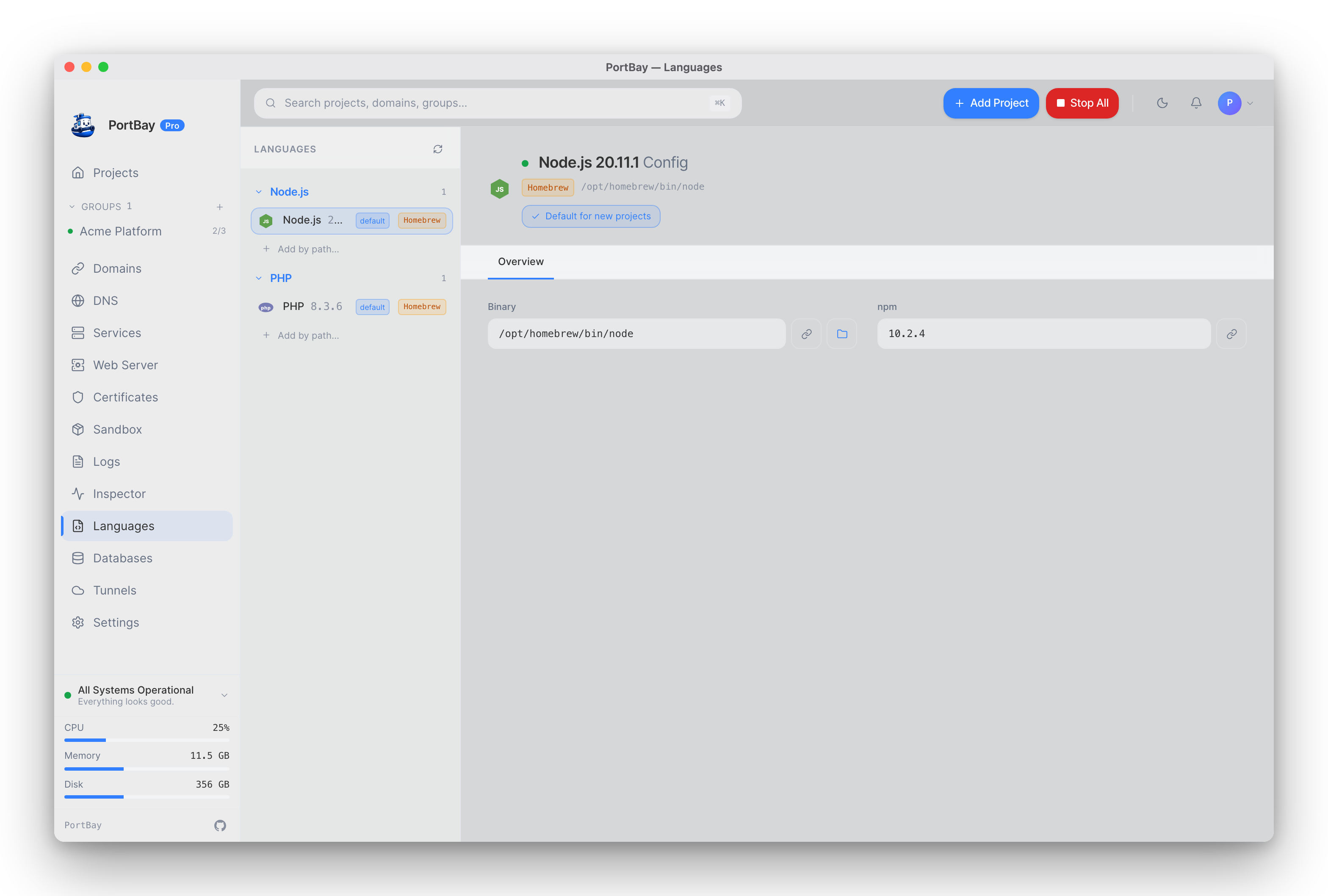
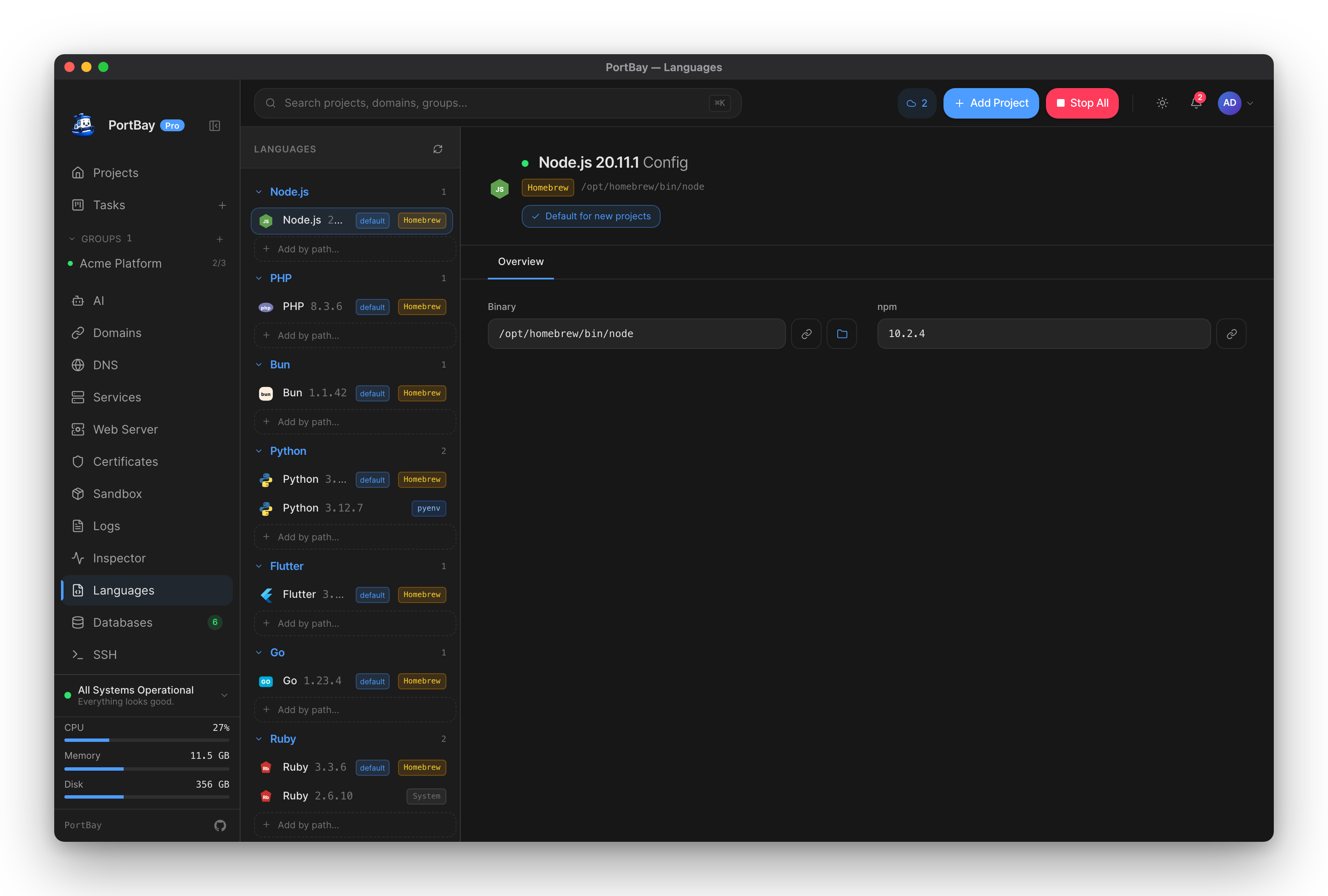
PortBay uses a detect-first model: it scans your machine for runtimes that are already installed — via Homebrew, nvm, mise, asdf, pyenv, rbenv, ServBay, or the system PATH — and surfaces them without installing or bundling anything itself. Each language shows all detected versions, lets you pick a default for new projects, and (for runtimes that have daemon or package-manager config) exposes editable settings panels. The Languages screen provides a single place to see what is installed, where it came from, and how PortBay will use it.
Quickstart
- Open the Languages tab in the sidebar.
- PortBay scans your machine and lists detected versions under each language. A version count appears in the group header; a dot indicates nothing was found.
- Click any version row to open its config panel on the right.
- To make a version the default for new projects, click Set as default in the header strip. The row gains a
defaultbadge.
If a language has no detected versions, the sidebar shows the install command. For Homebrew-managed runtimes you can click Install via Homebrew to run the install directly from PortBay; the button streams Homebrew's output inline. You can also click the install-command text to copy it.
How-to
Set a default version
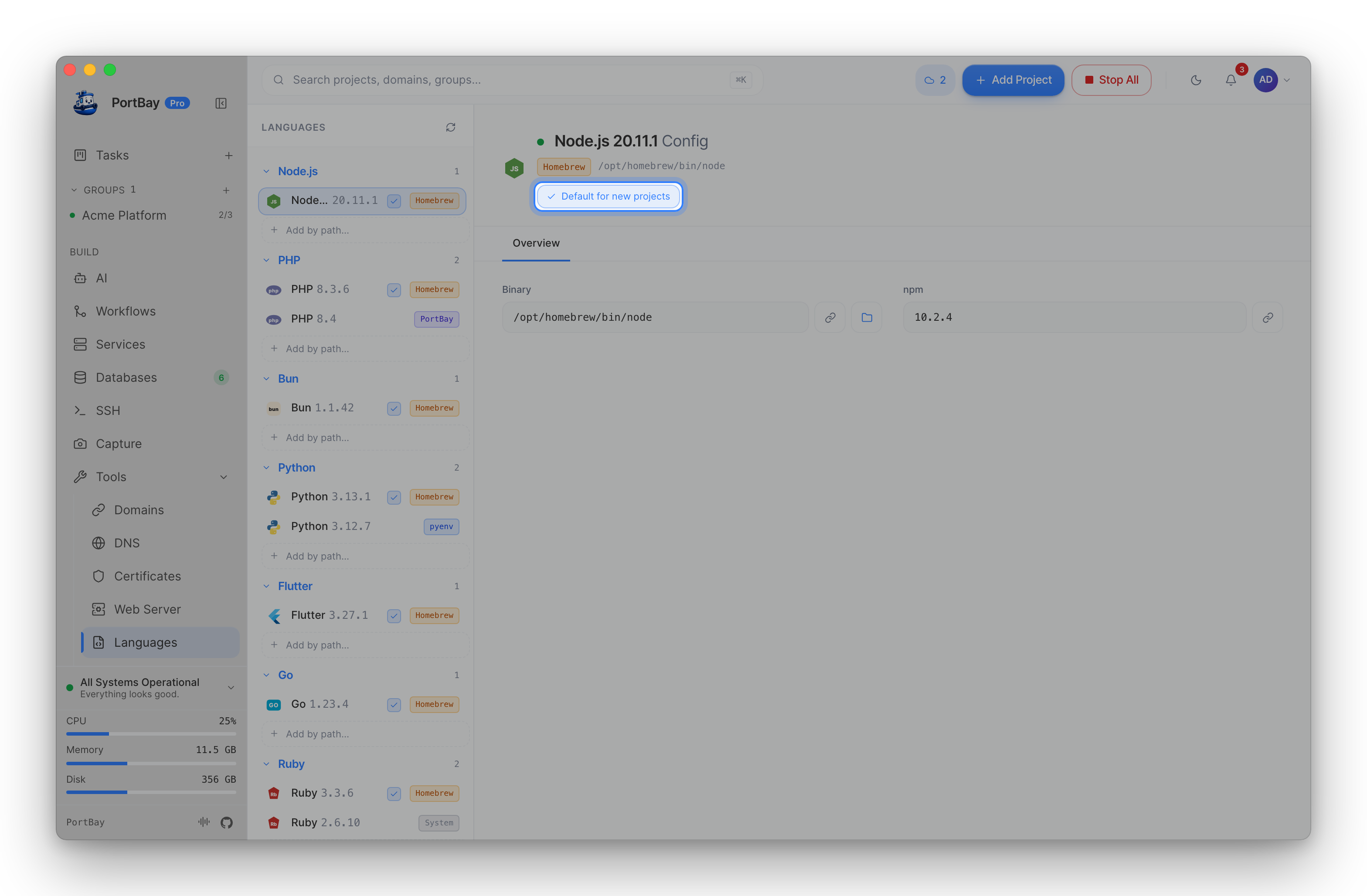
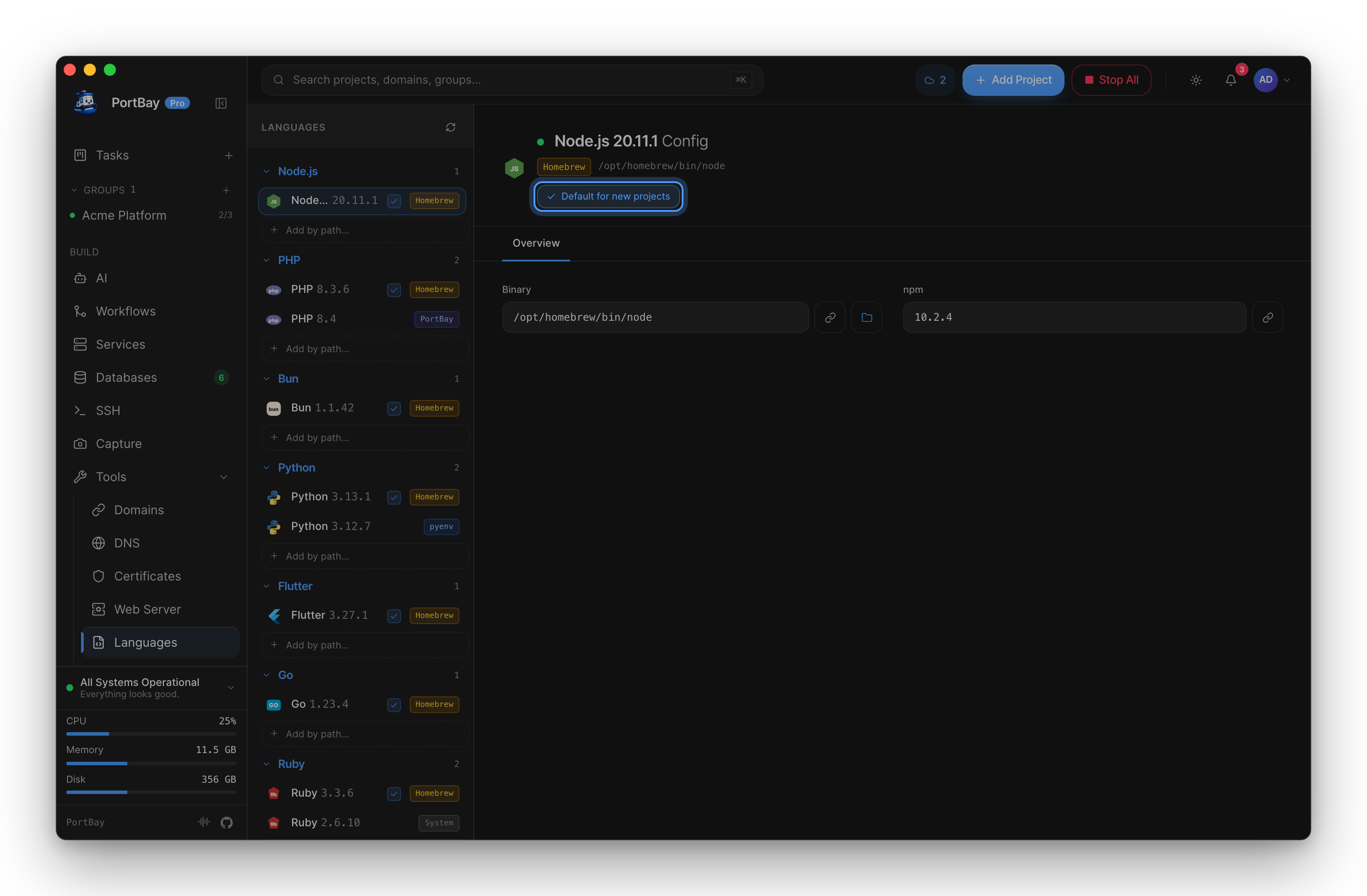
Select a version in the left rail, then click Set as default in the right-pane header. The button label changes to "Default for new projects" and the default badge appears on the version row.
To clear the default, click the same button again while that version is already marked as default.
Add a runtime by path
If the detector missed a binary — for example a version managed by a tool PortBay doesn't enumerate, or a custom build — click Add by path… under the relevant language group. A file picker opens; select the primary binary. PortBay probes its version string and registers it as a Manual install. The binary is never copied or moved.
To remove a manually-added entry, select it and click Remove in the header strip. The binary on disk is not touched.
Edit a version's configuration
Select a version. If it has editable settings, one or more tabs in the right pane contain form fields rather than read-only values. Make your changes — a small dot on the field label marks unsaved edits — then click Save changes. Changes are applied immediately; runtimes that have a daemon (PHP-FPM) restart that daemon automatically.
Read-only tabs (info panes, extension lists) have no Save button.
Rescan
Click the refresh icon in the Languages rail header to re-run detection without restarting the app. This is useful after installing a new runtime version.
Per-language detection sources and config
PHP
Detection: Homebrew formulae (php, php@8.x), ServBay (/Applications/ServBay/), FlyEnv, and the system PATH.
Install hint: brew install php@8.3
Config tabs:
| Tab | Editable | What it covers |
|---|---|---|
| FPM | Yes | Process manager (dynamic/static/ondemand), worker counts, listen mode (socket or TCP), slow-log, raw pool directives. Saving restarts the FPM process for this version. |
| PHP | Yes | php.ini overrides applied per-pool via php_admin_value — the system php.ini is never edited. Fields: memory_limit, upload_max_filesize, post_max_size, max_execution_time, date.timezone. Blank value clears the override. |
| Extensions | No | All loaded extensions for this version (php -m). |
Node.js
Detection: Homebrew (node, node@<ver>), nvm (~/.nvm/versions/node/<ver>/, $NVM_DIR honoured), asdf (~/.asdf/installs/nodejs/<ver>/), mise (~/.local/share/mise/installs/node/<ver>/), system PATH.
Install hint: brew install node
Config tabs:
| Tab | Editable | What it covers |
|---|---|---|
| Registry | Yes | npm/pnpm registry URL, written to ~/.npmrc. Shared across all Node versions. Blank restores the default (registry.npmjs.org). |
| Cache | Yes | npm cache directory, written to ~/.npmrc (cache key). Blank uses npm's default (~/.npm). |
Node has no daemon; changes take effect the next time a process reads ~/.npmrc.
Bun
Detection: Homebrew (bun, bun@<ver>), the official installer location (~/.bun/bin/bun, $BUN_INSTALL honoured), asdf, mise, system PATH.
Install hint: brew install oven-sh/bun/bun
Config tabs: Read-only Info tab (binary path, install source). No editable config in this release.
Python
Detection: Homebrew (python, python@<ver>), pyenv (~/.pyenv/versions/<ver>/, pyenv root and $PYENV_ROOT honoured), asdf, mise, system PATH (python3, python).
Install hint: brew install python
Config tabs:
| Tab | Editable | What it covers |
|---|---|---|
| Package index | Yes | pip index URL, written to pip.conf [global] section (~/Library/Application Support/pip/pip.conf on macOS). Shared across all Python versions. Blank restores PyPI. |
Python has no daemon; changes apply on the next pip invocation.
Go
Detection: Homebrew (go), asdf (~/.asdf/installs/golang/<ver>/go/bin/go), mise, system PATH.
Install hint: brew install go
Config tabs:
| Tab | Editable | What it covers |
|---|---|---|
| Environment | Yes | GOPROXY (module proxy URL, comma list, direct, or off) and GOPATH (workspace root), written to the Go env file ($GOENV or ~/Library/Application Support/go/env). Shared across all Go versions. |
Go has no daemon; changes apply to the next go command.
Ruby
Detection: Homebrew (ruby), rbenv (~/.rbenv/versions/, rbenv root and $RBENV_ROOT honoured), asdf, mise, system PATH.
Install hint: brew install ruby
Config tabs:
| Tab | Editable | What it covers |
|---|---|---|
| RubyGems | Yes | Default gem flags (gem key in ~/.gemrc). Shared across all Ruby versions. Blank removes the override. The :sources: list in .gemrc is left untouched. |
Ruby has no daemon; changes apply on the next gem command.
Flutter
Detection: Homebrew (brew install --cask flutter), asdf, mise, system PATH.
Install hint: brew install --cask flutter
Config tabs: Read-only Info tab (binary path, install source). No editable config.
Reference
Install sources
These are the values the source pill on each version row can show.
| Value | Label | Where the install came from |
|---|---|---|
homebrew | Homebrew | Homebrew formula under the user's brew prefix |
serv_bay | ServBay | ServBay-managed package |
fly_env | FlyEnv | FlyEnv-managed package |
asdf | asdf | asdf-vm — ~/.asdf/installs/<lang>/<ver>/ |
mise | mise | mise — ~/.local/share/mise/installs/<lang>/<ver>/ |
nvm | nvm | nvm — ~/.nvm/versions/node/<ver>/ (Node only) |
pyenv | pyenv | pyenv — ~/.pyenv/versions/<ver>/ (Python only) |
system | System | Found on $PATH without a recognised version manager |
manual | Manual | Added by the user via "Add by path" |
Data shapes
LanguageView
One entry per supported language returned by list_runtimes.
| Field | Type | Description |
|---|---|---|
id | string | Stable identifier: "php", "node", "bun", "python", "go", "ruby", "flutter" |
displayName | string | Human label, e.g. "Node.js" |
versions | VersionView[] | Detected versions, newest first |
installHint | string | Command shown when versions is empty |
defaultVersion | string | null | Version string marked as default, or null |
VersionView
One detected install coupled with its config panel.
| Field | Type | Description |
|---|---|---|
install | RuntimeInstall | Detection result |
tabs | ConfigTab[] | Config tabs to render in the right pane |
RuntimeInstall
| Field | Type | Description |
|---|---|---|
version | string | Semantic version label, e.g. "8.3", "22.11.0" |
binary | string | Absolute path to the primary binary |
source | InstallSource | Where the install came from |
configDir | string | null | PortBay-managed config directory (PHP only; null for most runtimes) |
ConfigTab
| Field | Type | Description |
|---|---|---|
id | string | Stable tab identifier used as the key when posting edits |
label | string | Display label shown in the tab bar |
rows | KvRow[] | Fields in this tab |
editable | boolean | true if the tab has at least one editable row and shows a Save button |
KvRow
| Field | Type | Description |
|---|---|---|
key | string | Key edits are posted under (ignored for readonly rows) |
label | string | Field label |
value | string | Current persisted value |
hint | string | undefined | Optional hint shown beneath the field |
isPath | boolean | When true, the value renders as a monospace path with a Reveal in Finder button |
field | FieldKind | How the row renders and whether it accepts edits |
FieldKind
Internally tagged on kind.
kind | Additional fields | Behaviour |
|---|---|---|
readonly | — | Display-only. Value shown with a copy button; isPath rows also get a Finder reveal button. Never sent on save. |
text | — | Single-line free-text input. |
number | min?: number, max?: number | Numeric input. Optional bounds clamp the stepper. |
select | options: string[] | Dropdown. Value must be one of options. |
bool | — | Checkbox. Value is the string "true" or "false". |
textarea | — | Multi-line free-text input. |
IPC commands
| Command | Arguments | Returns | Description |
|---|---|---|---|
list_runtimes | — | LanguageView[] | Scan all languages and return the full view. Per-version config tabs are pre-computed so the panel renders without a second round-trip. |
install_runtime | lang: string, onEvent: Channel | — | Delegate brew install for a missing runtime. Streams { kind: "log", line } and { kind: "done", success } events. |
set_default_runtime | lang: string, version: string | null | LanguageView[] | Set or clear the default version for a language. Returns the updated list. |
add_runtime_by_path | lang: string, path: string | LanguageView[] | Register an existing binary as a Manual install. Returns the updated list. |
update_runtime_config | lang: string, version: string, tabId: string, patches: Record<string, string> | LanguageView[] | Persist edits from one tab and return the updated list with server-side values. |
remove_runtime_path | lang: string, version: string | LanguageView[] | Remove a Manual install entry. The binary is not deleted. Returns the updated list. |