
Add A Project
Projects are registered from local folders. PortBay records the launch command, port, hostname, HTTPS setting, optional services, and readiness probe in the registry.
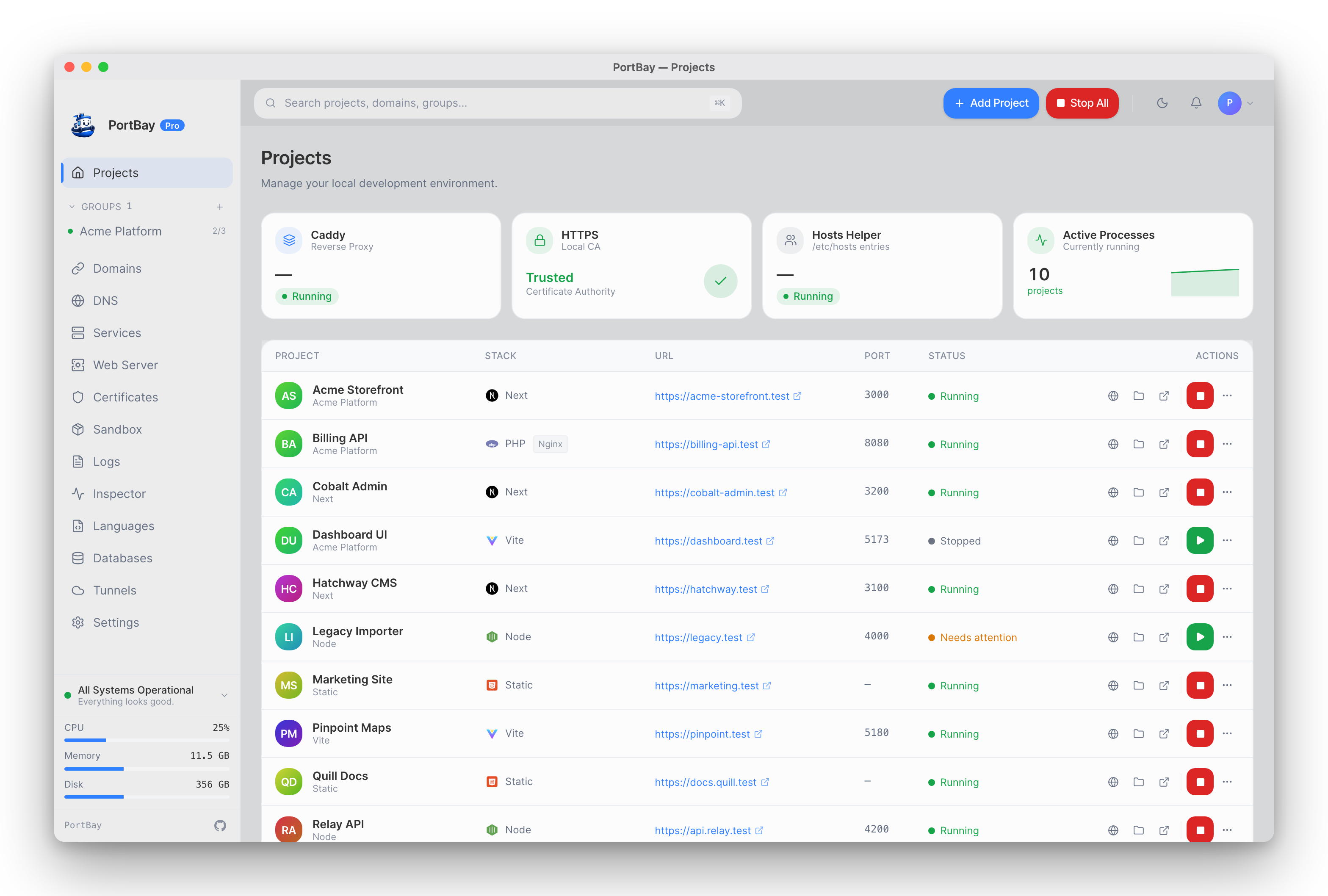
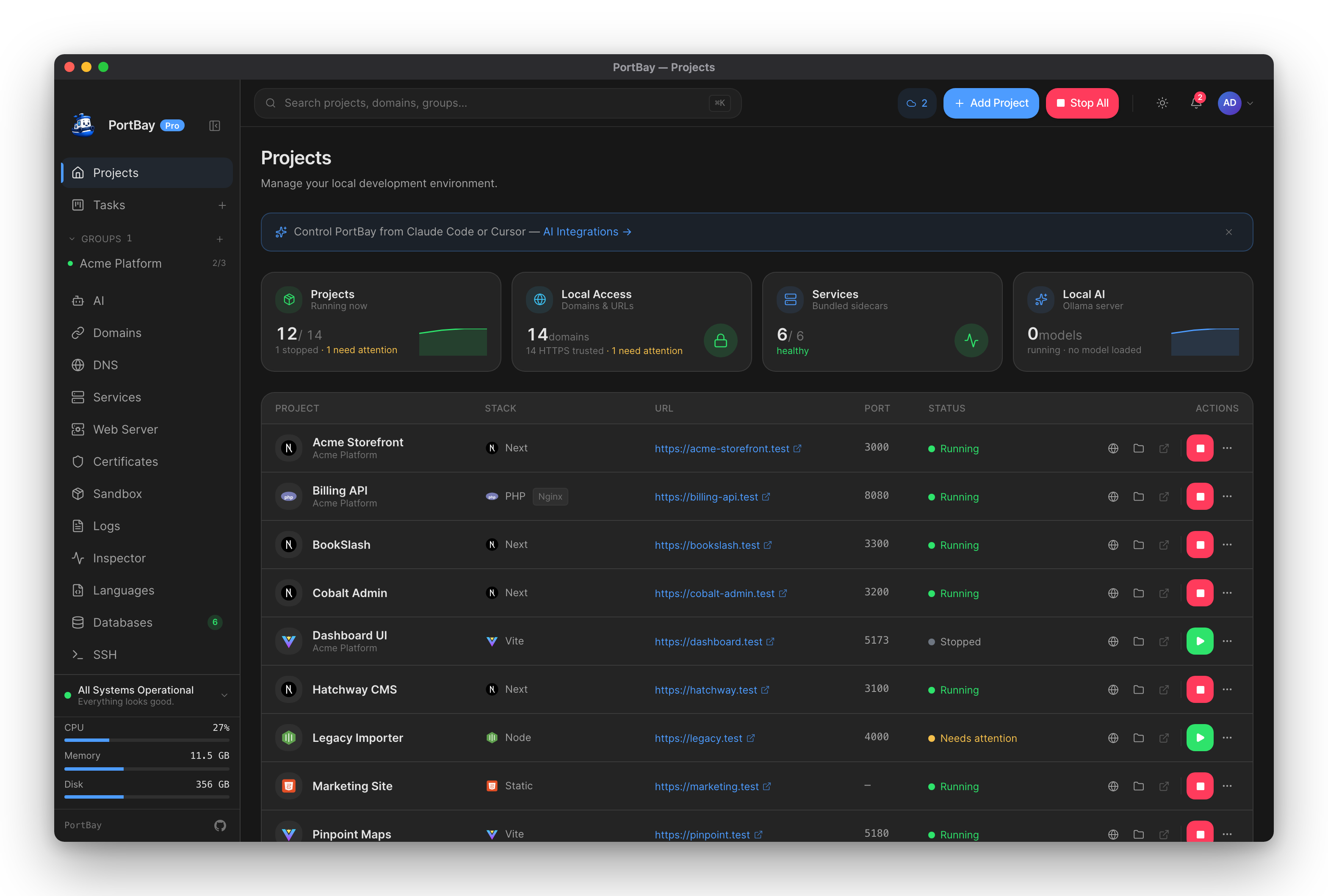
Supported Project Types
| Type | Typical command | Notes |
|---|---|---|
| Next | pnpm dev | Usually binds to an HTTP port and uses an HTTP readiness probe. |
| Vite | pnpm dev --host 127.0.0.1 | Make sure the dev server binds to the port PortBay routes. |
| PHP | Service-backed | Uses PHP-FPM and an optional document root such as public. |
| Python | Framework dev server | Detects Django, FastAPI, and Flask and runs their dev server on port 8000; bare scripts and research/LLM-eval projects run with no server. Provisions a .venv with uv (or the stdlib venv). |
| Static | None | Served from its folder by Caddy, Nginx or Apache. See Choosing a web server. |
| Node | npm run dev | Use a concrete port and readiness policy. |
| Custom | Any shell command | Best for frameworks PortBay does not infer yet. |
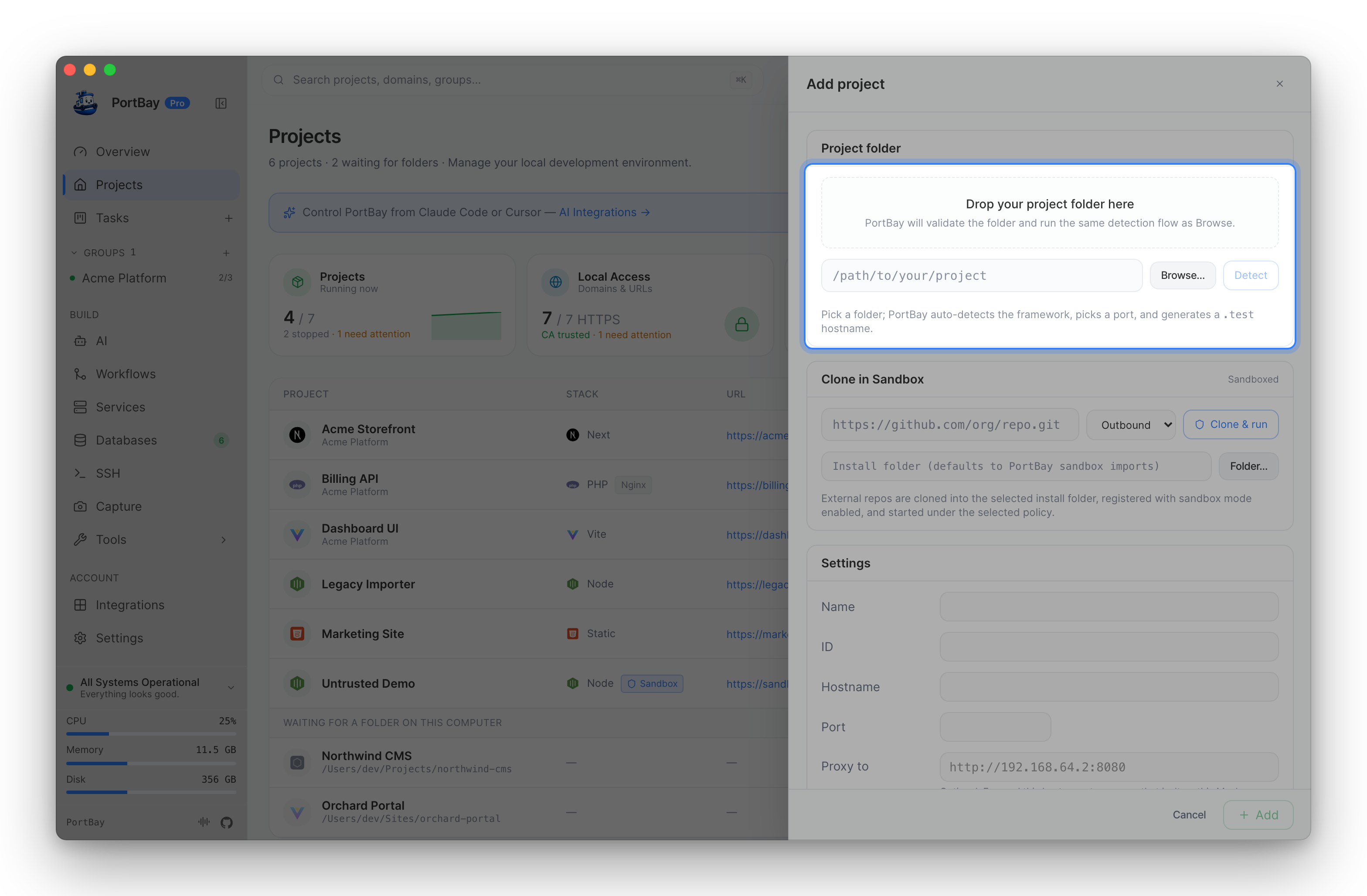
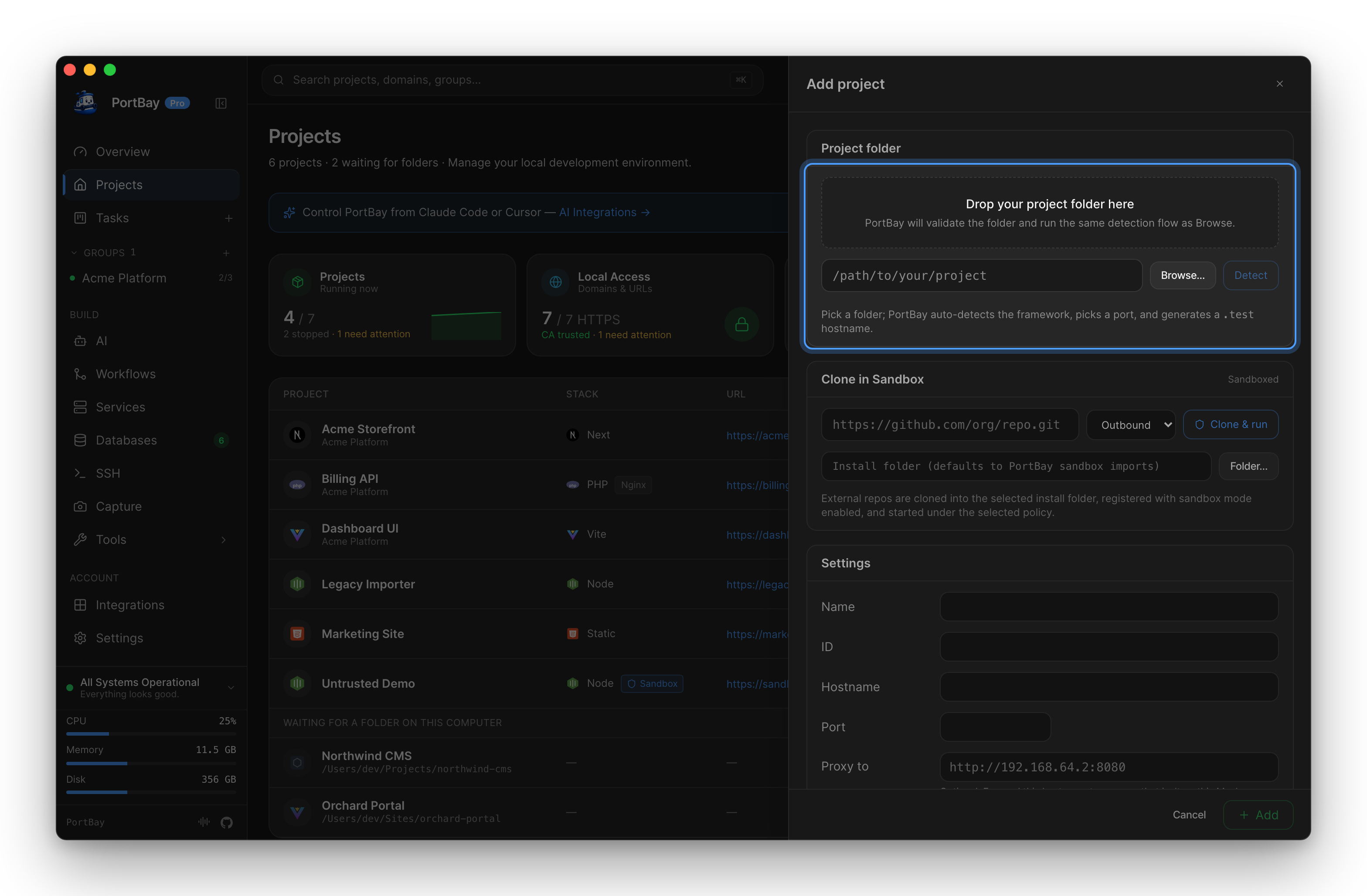
Add From The App
- Click Add project.
- Pick or paste the project folder path.
- Confirm the detected type, hostname, and port.
- Add environment variables if the dev server needs them.
- Open the raw config step only when the generated registry record needs hand editing.
- Save, then start the project from its row action.
Add From The CLI
bash
portbay add ~/Projects/marketing-site \
  --id marketing-site \
  --name "Marketing Site" \
  --kind next \
  --port 3010 \
  --start-command "pnpm dev" \
--hostname marketing-site.testAfter Save
- Start the project.
- Open the browser action for the generated
https://<hostname>URL. - Open logs if the row stays in
starting,unhealthy, orcrashed. - Stop the project before changing its port or launch command.