
Run multiple AI coding agents locally without babysitting terminals
PortBay gives every local project a task board your AI coding agents work on their own. Write a card, move it to To Do, and the agent you assigned (Claude Code, Cursor, Codex, Gemini, or Aider) picks it up, does the work in your repo, and writes a handoff note the next run reads first. The cards are plain Markdown files in .portbay/tasks/, so they version with your code. One board is shared across the PortBay app, the portbay CLI, and an MCP server, so an agent connected over MCP can claim a card, record the files it touched, and move it to Review or Done. PortBay launches the agent you already have installed and never runs a model of its own. Underneath, each project gets a real https://name.test hostname, managed DNS, and supervised databases, so the work an agent ships runs the same way you do.
Terminals you babysit vs a board the agents work
| Raw terminal sessions | PortBay task board | |
|---|---|---|
| Context when a session ends | Lost, you re-explain next time | Handoff note saved in the repo |
| Running several agents | Many tabs to watch | One card per task, dispatched per project |
| Source of truth | Your memory | Markdown cards shared by GUI, CLI, and MCP |
| Agents supported | One at a time | Claude Code, Cursor, Codex, Gemini, Aider, more |
| Where the work runs | Wherever you happen to be | Real .test hostname with managed services |
Why running parallel agents gets messy
By 2026 most developers run two or three coding agents at once. Each tool keeps its own context window, rules files, and memory, so output drifts and you spend hours reconciling it. In April 2026 Cursor shipped parallel-agent orchestration and Claude Code shipped Agent Teams with shared task lists over MCP, which pushed even more people into running several agents side by side. The bottleneck moved from writing code to coordinating the agents that write it.
How PortBay's task board works
Every project gets a board. A card is a Markdown file in .portbay/tasks/, readable with or without PortBay. Move a card to To Do and the assigned agent starts working it on your machine. When a run ends it appends to .portbay/HANDOFF.md, a short newest-first brief the next run reads before it begins, so no run starts from zero. A card can be blocked on others until they land, an optional Review column holds agent-done work for you to approve, and a run whose process dies is reclaimed for the next attempt. Full walkthrough: the task board guide.
Which agents does PortBay support
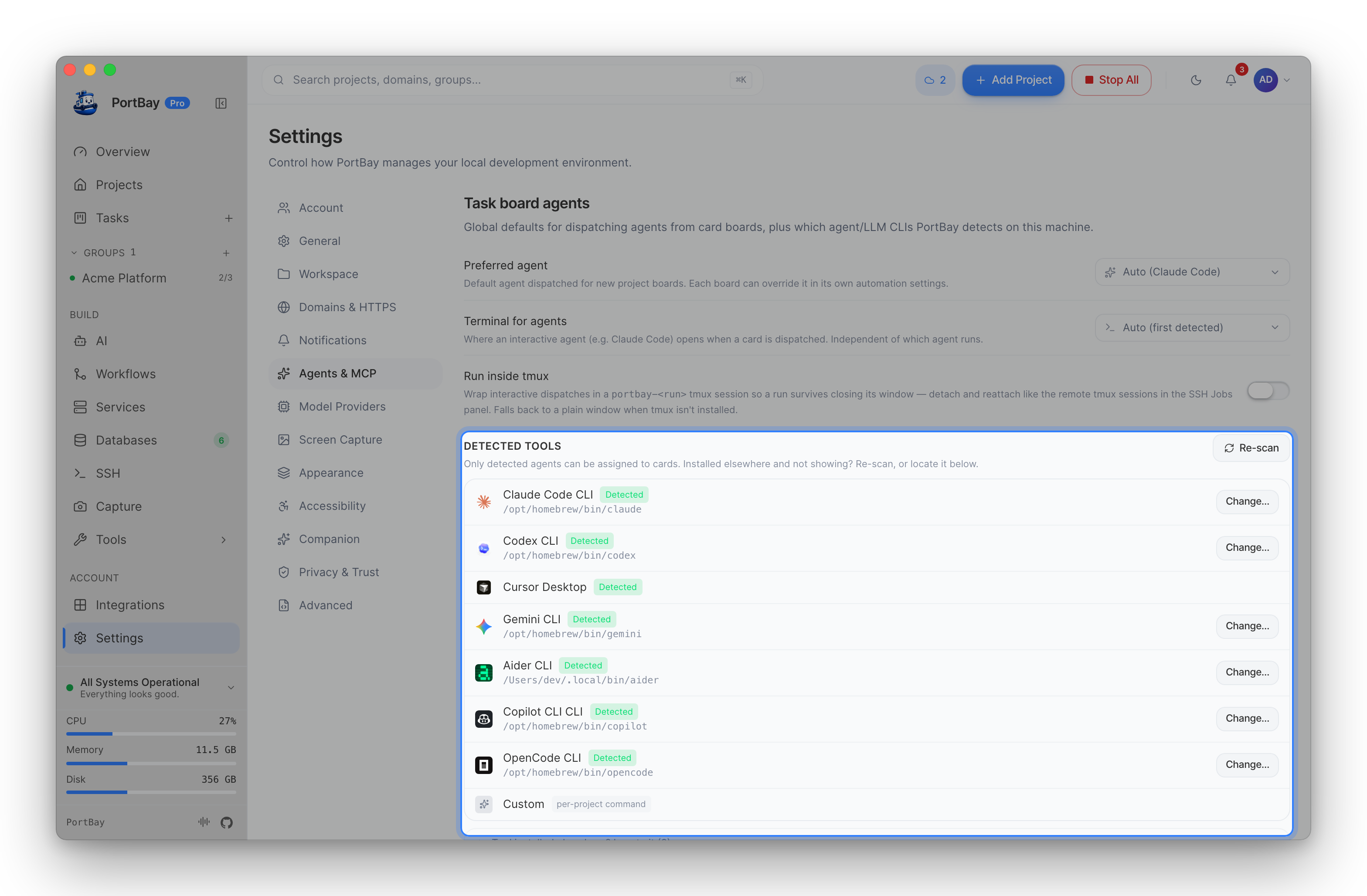
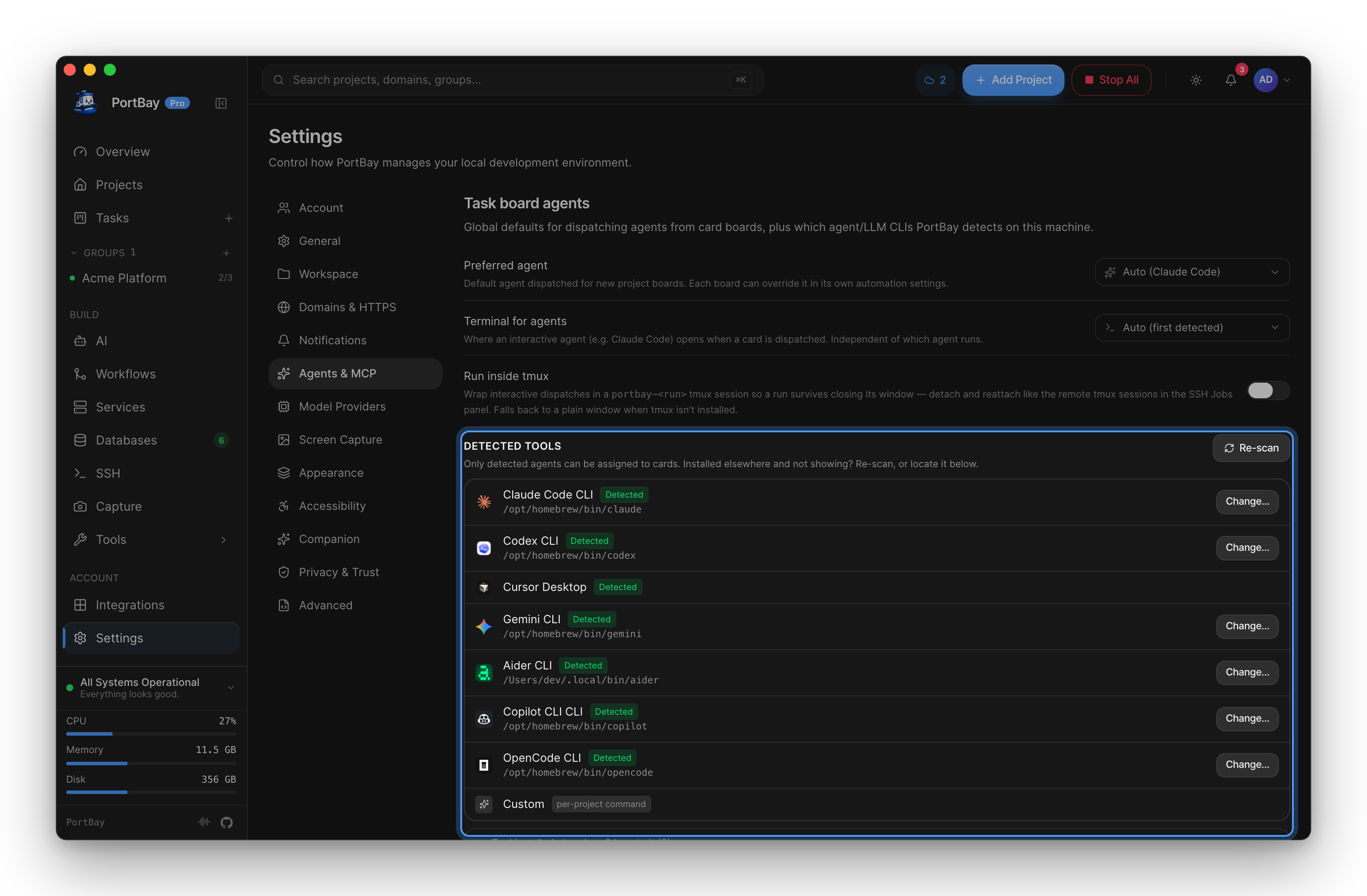
PortBay recognizes Claude Code, Codex, Cursor, Gemini, Aider, Copilot, OpenCode, Amp, Qwen, and Antigravity out of the box, and you can point it at any other CLI. It dispatches the agent you already installed; it does not bundle or run a model. Connect one over the MCP server and it can claim the next card, record the files it touched, and move the card forward through PortBay's agent tools.
What runs underneath
The board sits on a container-free local environment. PortBay reads each project (Next.js, Vite, Node, PHP, Laravel, Python) and fills in the start command, port, hostname, and HTTPS, then issues a real https://name.test certificate, resolves it through a bundled DNS resolver, and routes it with Caddy. Supervised MySQL, MariaDB, PostgreSQL, Redis, MongoDB, and Memcached are one click away. Idle footprint stays under 80 MB of RAM.
Start in a few minutes
Install PortBay on macOS via DMG or Homebrew, point it at a project folder, write one card, and assign an agent. PortBay is open source under AGPL-3.0; the task board and dispatching agents from it ship in every tier. Pro adds the MCP Tasks, Workflows, and Connectors toolsets (the tasks build feature) for agents that drive the board over MCP, plus larger task attachments. See how PortBay stacks up in the comparisons.
Last updated: 2026-06-15.