
Caddy And HTTPS
Caddy is PortBay's HTTPS edge. Every project's hostname is answered by Caddy, which terminates local TLS and routes the request. The app generates route configuration from the registry and applies it through Caddy’s admin API.
The server behind the edge is chosen per project: Caddy itself (the default), Nginx or Apache. See Choosing a web server.
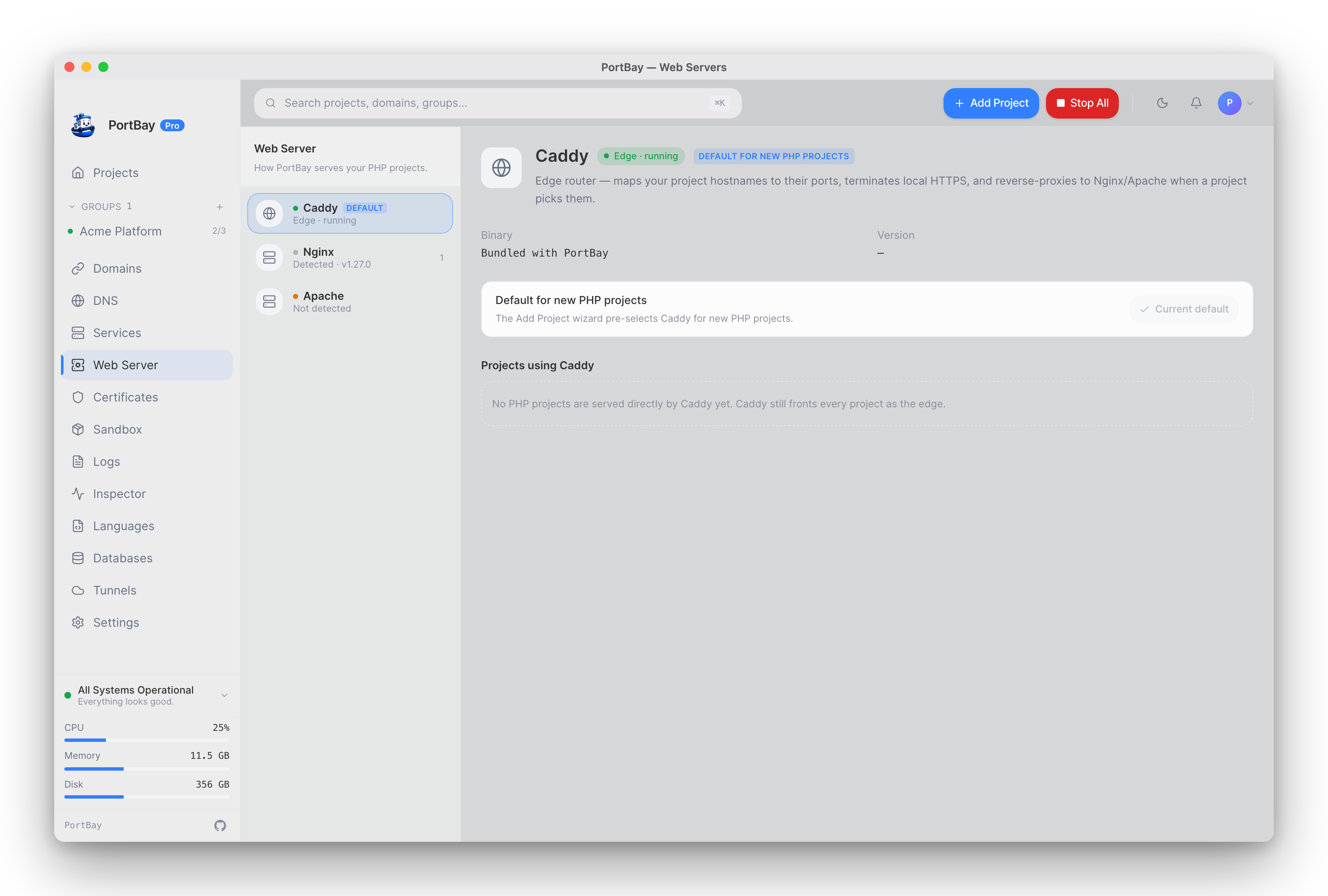
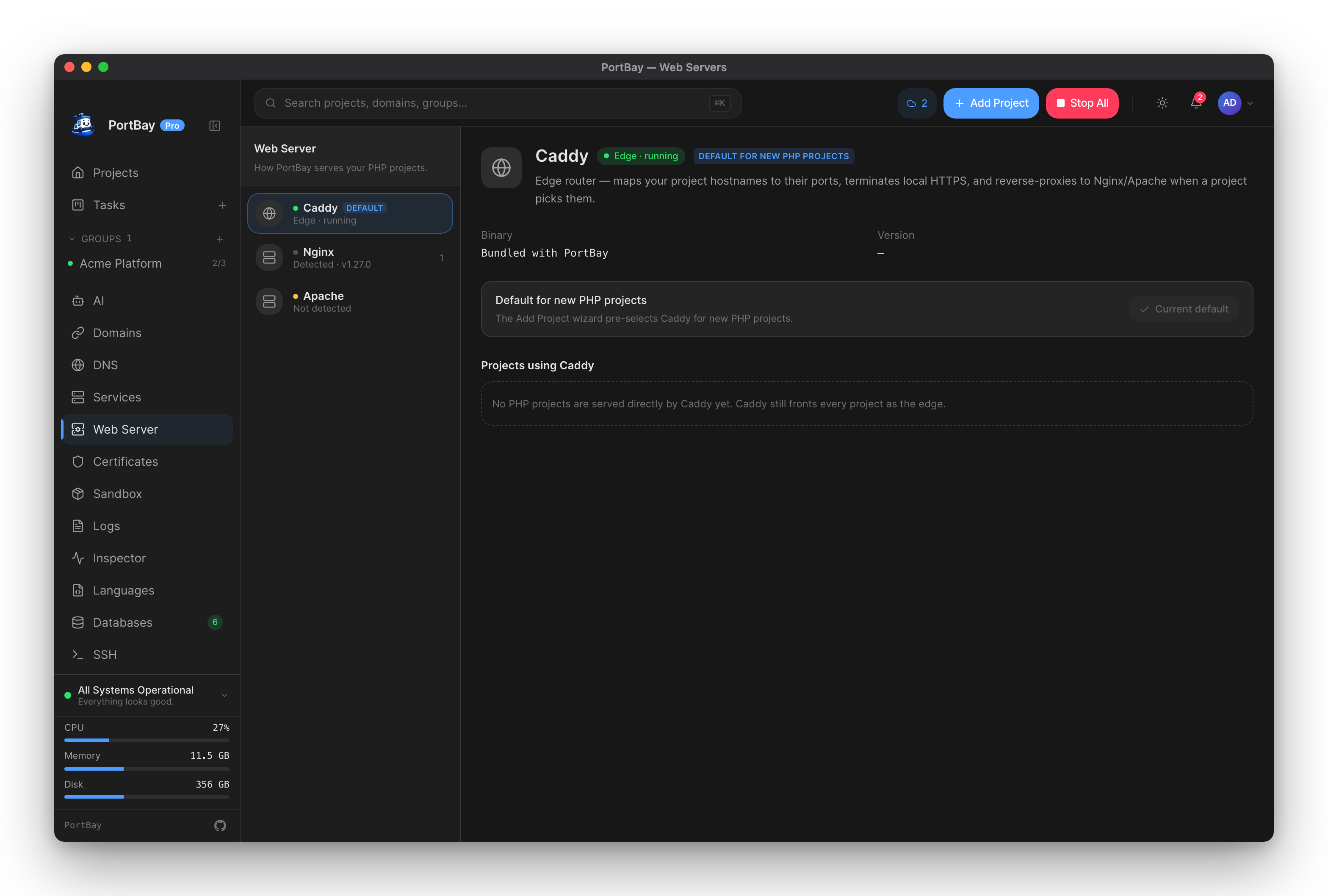
The Web Servers page shows how each project is served: Caddy is the bundled edge that maps hostnames to ports and terminates local HTTPS, and Nginx and Apache are listed with the binary PortBay found and the projects that use them.
Routing Model
flowchart LR
  browser["Browser request to https://project.test"] --> dns["Local DNS or /etc/hosts"]
  dns --> caddy["Caddy listener"]
  caddy --> app["Project dev server, PHP-FPM or files"]
  caddy --> engine["Nginx or Apache on 127.0.0.1, when the project uses one"]
  engine --> app
caddy --> cert["mkcert certificate for hostname"]Certificate Model
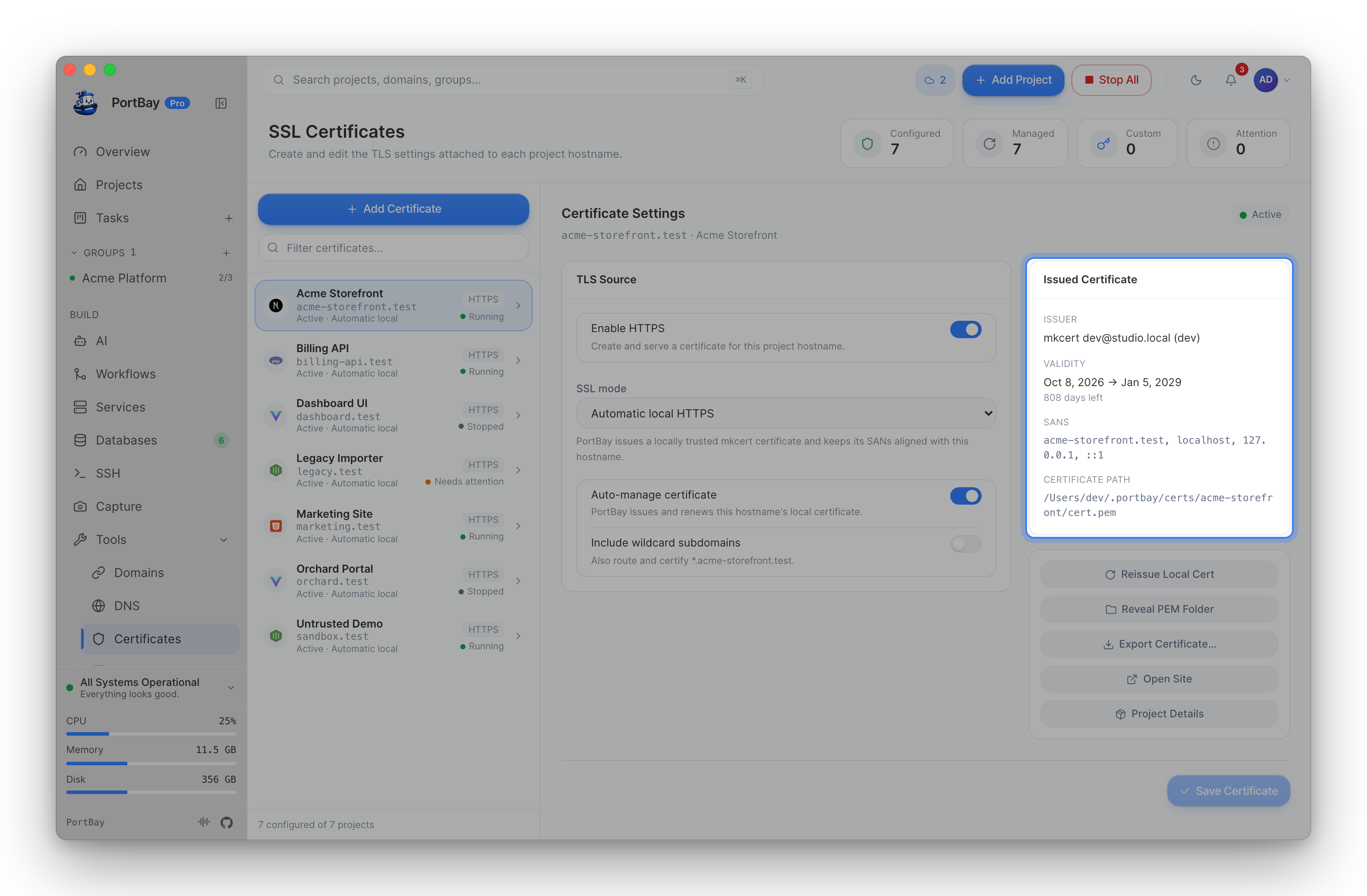
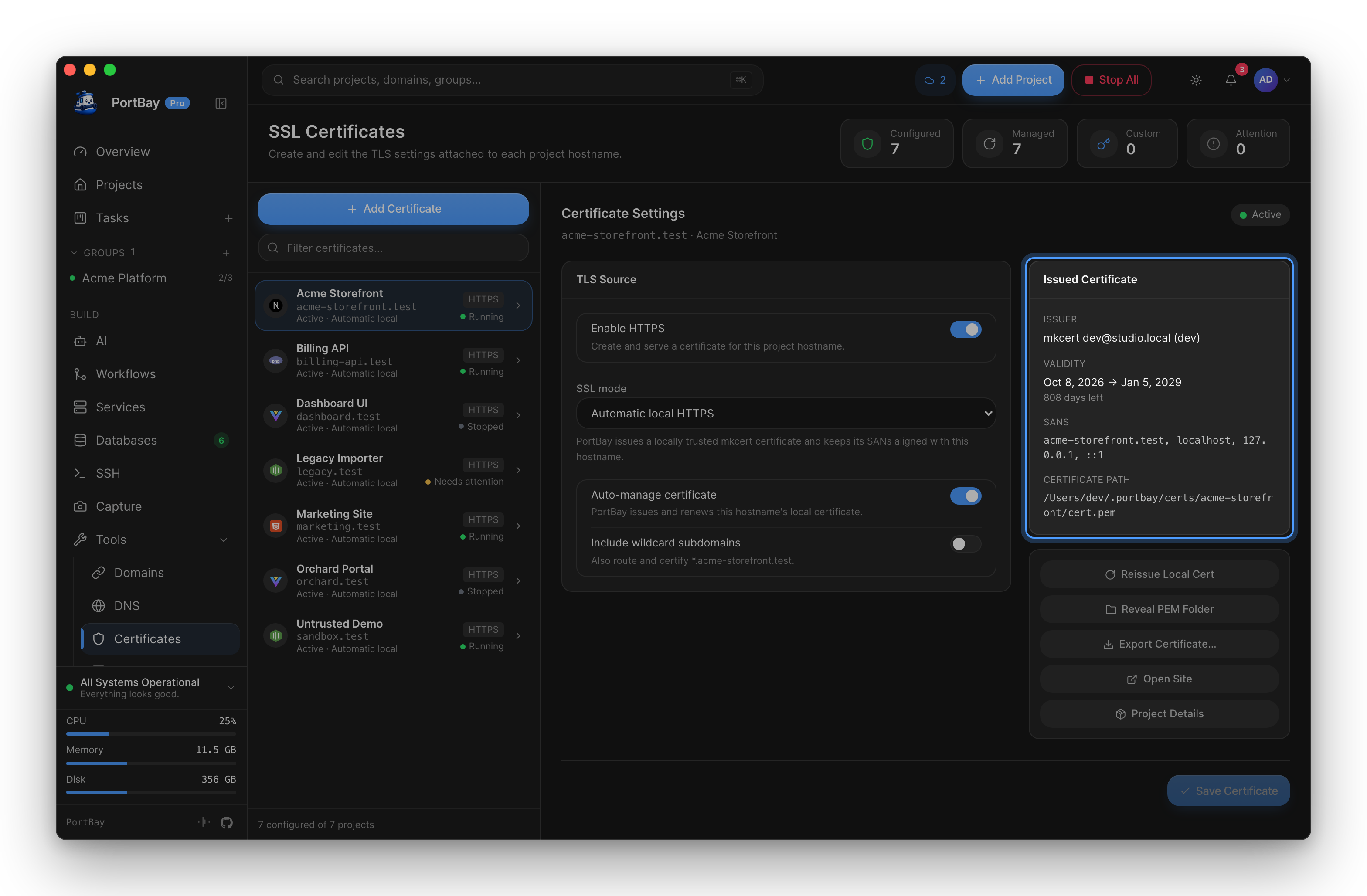
The Certificates page lists every HTTPS project with its common name, issuer, and expiry, and lets you reissue a certificate from the row actions. mkcert issues local certificates per project. PortBay stores them under:
~/Library/Application Support/PortBay/certs/<project-id>/If a browser rejects a local certificate, verify the mkcert root is installed and that the project hostname matches the certificate Caddy is serving.
When Caddy Is Out Of Sync
- Open Services and refresh sidecar status.
- Restart Caddy.
- Reconcile hostnames.
- Restart the affected project.
- If the route still fails, inspect the project’s registry record and generated Caddy autosave file.
Via MCP (agent-driven)
When driving PortBay through an AI agent, two tools cover certificate tasks:
portbay_cert_info— read certificate metadata (paths, issued/expiry dates, SANs) for one or all projects. No daemon required; reads cert files directly.portbay_reissue_cert— delete a project's cert so the running PortBay app mints a fresh one and reloads Caddy on its next reconcile (≤30s). Installing the mkcert CA into the system trust store is privileged and interactive — this is done from the app, not via MCP.
See the Tool Reference for the full argument and return-type details.
Useful Signals
| Symptom | Likely cause | Next action |
|---|---|---|
| Browser cannot resolve hostname | DNS or /etc/hosts missing the hostname | Reconcile hosts or restart dnsmasq. |
| Browser connects but returns 502 | Project process is not listening on the configured port | Check logs and the start command. |
| PortBay's placeholder page with a web-server warning | The project's Nginx or Apache could not be set up | Read the warning on the project; see Choosing a web server. |
| Browser warns about certificate | mkcert root or project certificate mismatch | Reissue certs and restart Caddy. |
App reports CADDY_FAILURE | Caddy admin API rejected or missed the route update | Restart Caddy, then retry the project action. |