
Domains
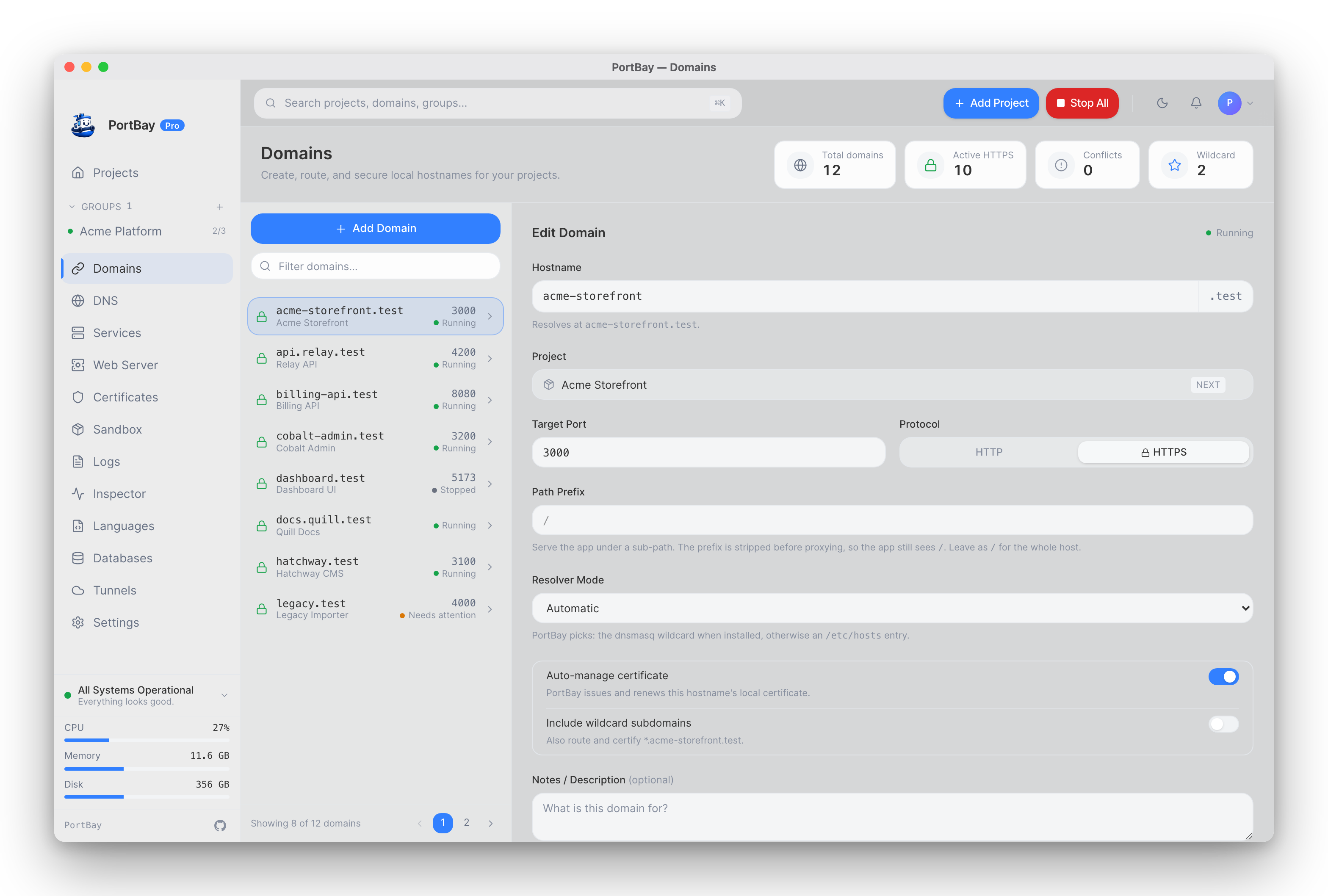
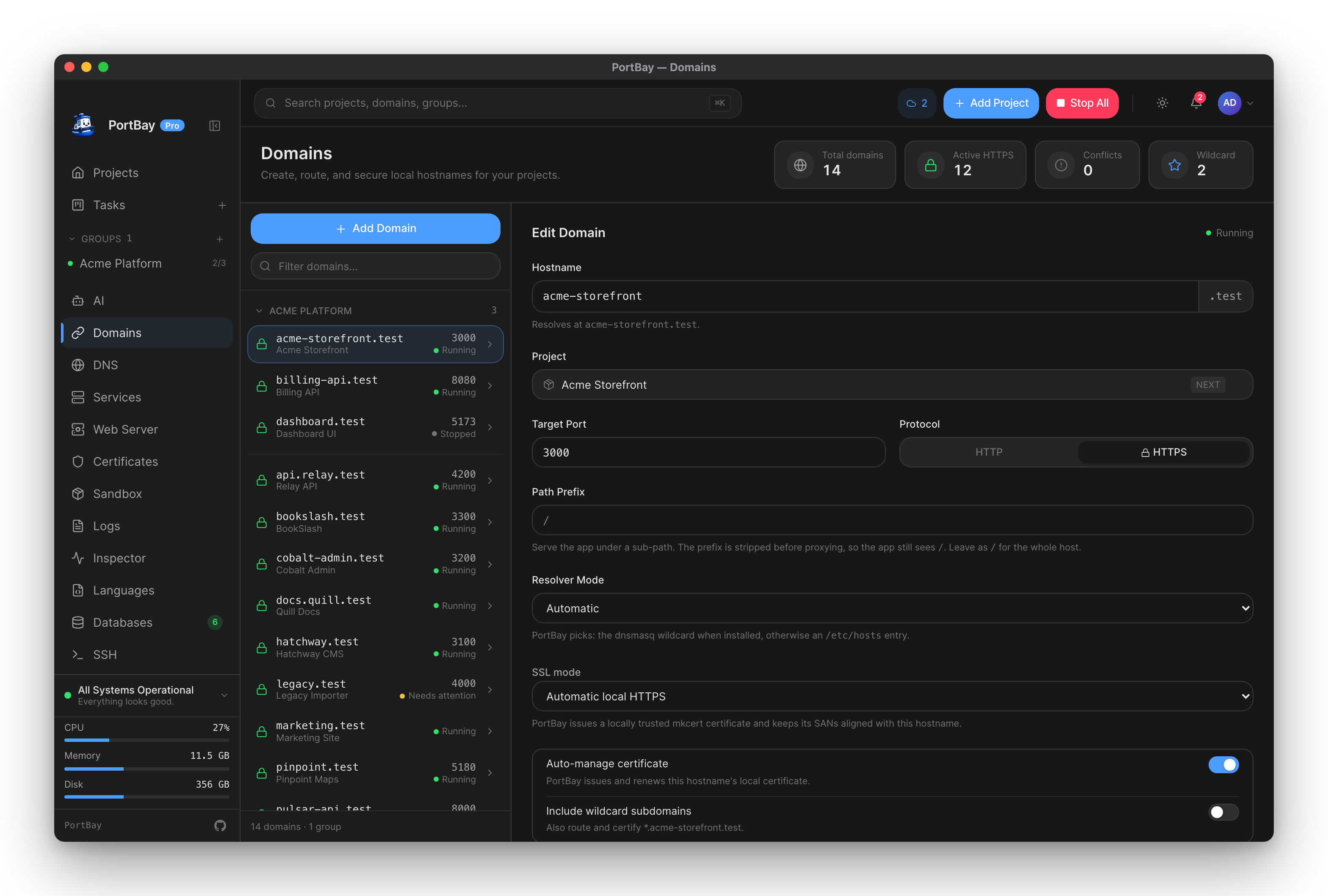
A "domain" in PortBay is a project's hostname — there's one row per project, not a separate domain registry. The Domains page is a side-by-side editor: the left rail lists every domain with a filter and pagination, the right pane edits the selected project's routing settings inline. Every field writes through the same update_project command the rest of the app uses.
This page is about per-project routing and hostname behavior. To change the shared suffix every project's hostname ends in (.test → .localhost, or a custom suffix), see Custom Domain Suffix instead — that's a Pro, whole-registry operation with its own re-pin and cert-migration steps.
Routing Settings
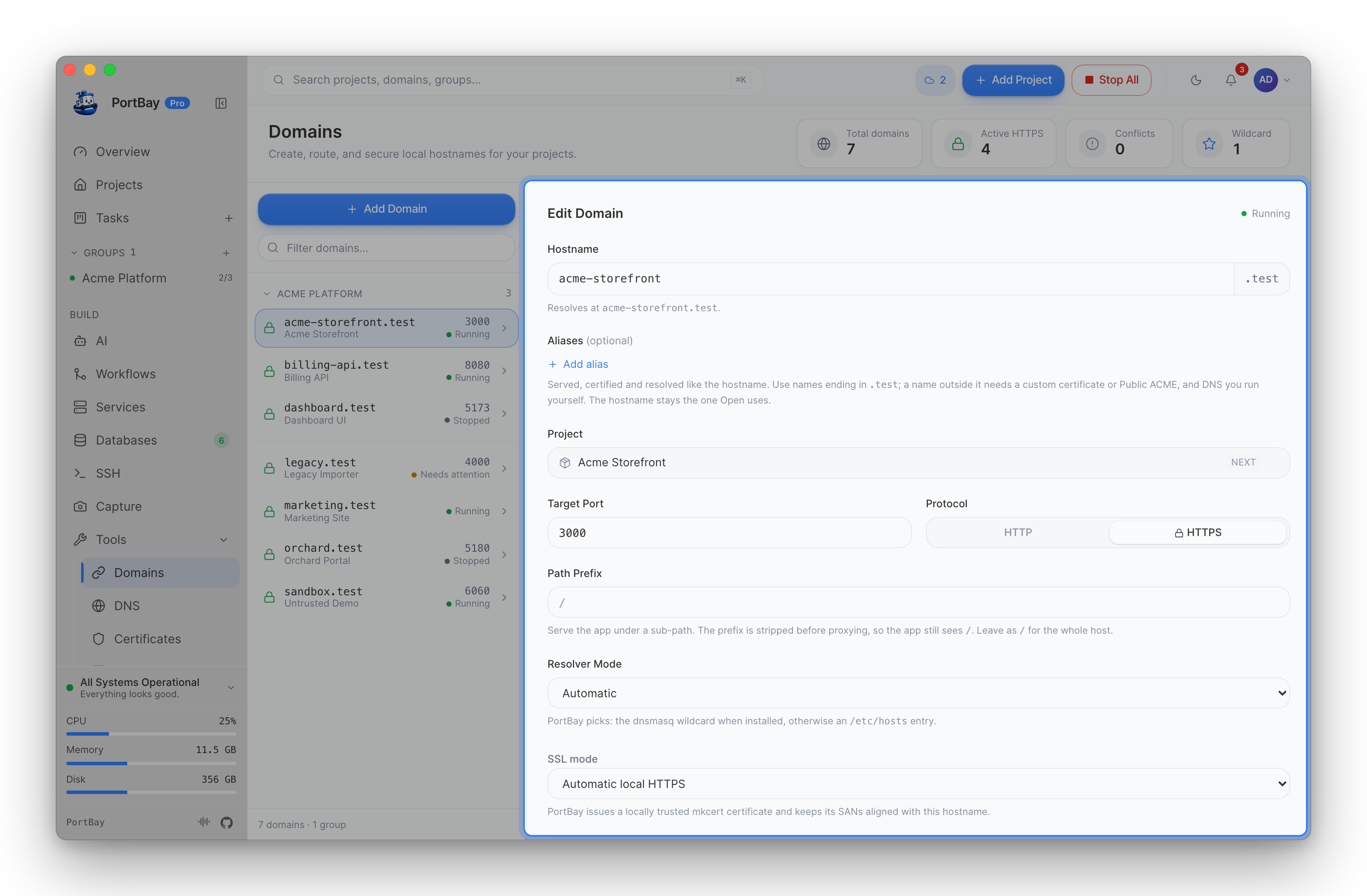
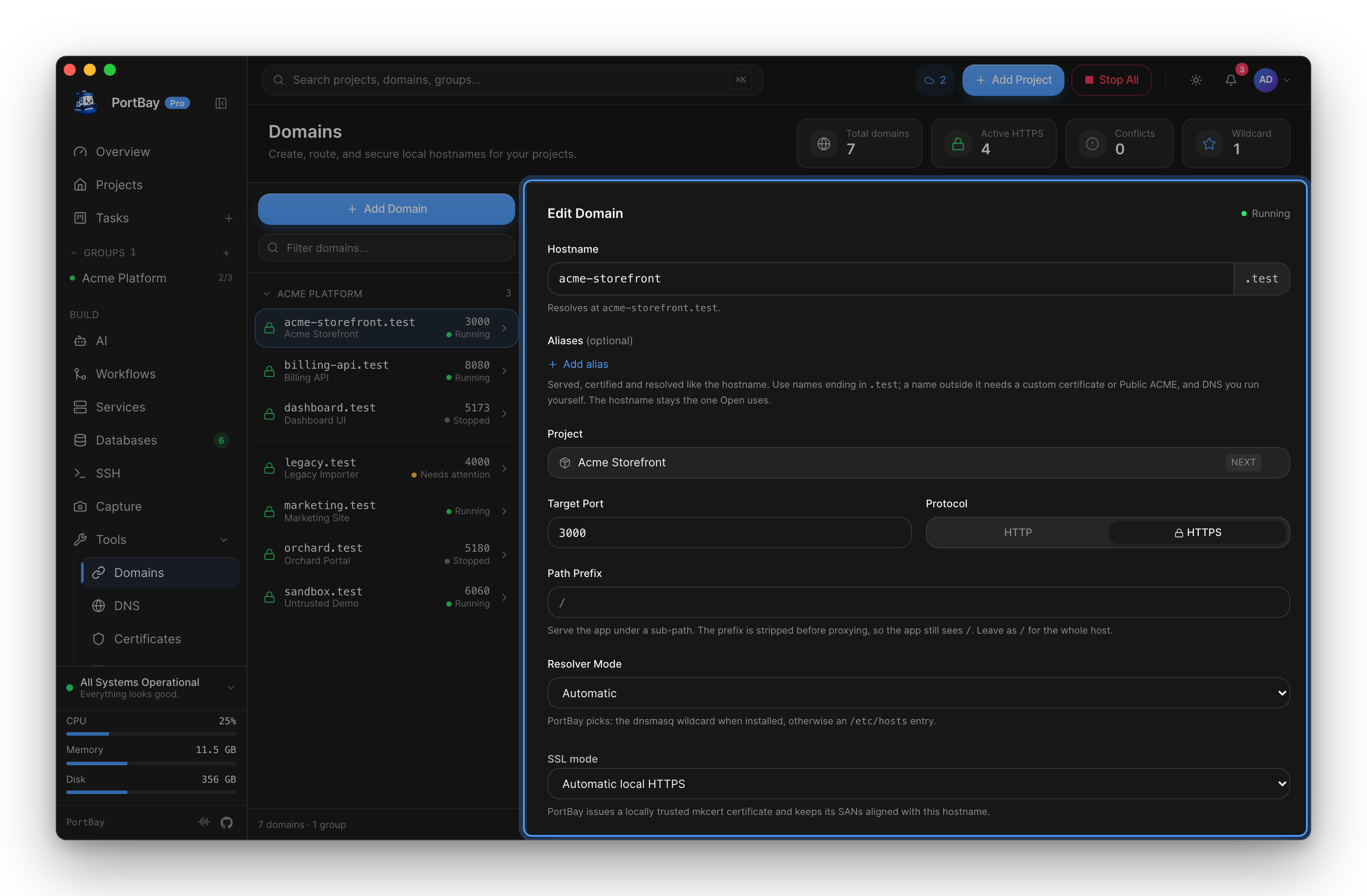
Each project's domain configuration is additive — a project created before these settings existed behaves exactly as it always did until you touch them:
| Setting | Effect |
|---|---|
| Notes | Free-text note shown on this page. No runtime effect. |
| Path prefix | A URL path prefix stripped before proxying upstream (Caddy handle_path). Empty or / serves from the root — today's default behavior. |
| Resolver mode | Auto (default), Hosts, or Dnsmasq — which resolution mechanism this hostname prefers. See Networking & DNS for how the two mechanisms differ. |
| Auto-manage certificate | Whether PortBay issues/renews this hostname's certificate automatically. Defaults on. |
| SSL mode | Automatic (local), Custom certificate, Self-signed, or Public ACME (placeholder). See Certificates. |
| Include wildcard subdomains | Also routes and certifies *.hostname. Only resolves through the dnsmasq wildcard resolver — /etc/hosts can't express a wildcard entry. |
| Expose when running | Only publishes the Caddy route while the project's process is actually running, instead of always. |
| Aliases | Extra hostnames the same project also answers on. See Hostname aliases. |
Hostname Aliases
An alias is an extra exact hostname for a project, for example www.blog.test beside blog.test. The project keeps one web server and one process: an alias is routed to the same place as the primary hostname, whichever of Caddy, Nginx or Apache serves the project (see Choosing a web server).
Each alias gets what the primary hostname gets. It is added to the Caddy route, to the project's local certificate (so the browser trusts it), and to local DNS. Plain HTTP requests to an alias redirect to HTTPS when the project has HTTPS on. The primary hostname stays the name Open and share links use. Include wildcard subdomains widens the primary only; it does not apply to aliases.
Add one: open the project on the Domains page, click Add alias under Aliases, enter the full hostname and save. Each alias is a full name, not a prefix. Remove it with the x beside it. You can also list aliases under aliases in a project's portbay.yml.
Which names are accepted:
- The name must be a valid hostname: dot-separated labels of 1 to 63 lowercase letters, digits or hyphens, none starting or ending with a hyphen, 253 characters at most.
- It must end in your domain suffix (
.testby default; see Custom Domain Suffix). PortBay's DNS resolver, its hosts-file entries and its local certificate authority cover only that suffix, so a name outside it would neither resolve nor get a trusted certificate. - The exception is a project that brings its own certificate: with SSL mode set to Custom certificate or Public ACME, an alias outside the suffix is allowed. You supply the certificate, which must cover every alias, and you point that name's DNS at this Mac yourself. Public ACME can only certify publicly resolvable names, so a
.test,.localor.localhostalias is refused there. - It can't repeat the project's own hostname or another alias, and no other project may use it. A name another project already answers on is refused as a duplicate hostname.
If you change the domain suffix, aliases under the old suffix move to the new one along with the hostnames. An alias outside the old suffix keeps its name. An alias that would land on a name another project answers on is removed, and the migration result says which.
Public ACME
The PublicAcme SSL mode carries its own issuer/environment/challenge configuration (DNS provider, key type, EAB credentials where required) for issuing a real publicly-trusted certificate for a domain you control. This is placeholder scaffolding for future public-domain automation and is not enabled for the local .test suffix.
Via MCP (Agent-Driven)
There is no dedicated "domains" toolset. portbay_update_project covers the basics — hostname and HTTPS on/off — but the granular routing knobs on this page (path prefix, resolver mode, SSL mode particulars, wildcard subdomains, aliases, expose-when-running) are not yet exposed through MCP; set them from the Domains page in the app. Certificate state for a hostname is readable via portbay_cert_info and can be force-reissued via portbay_reissue_cert (see Certificates); DNS routing state (which mechanism is actually resolving a hostname right now) is covered by the DNS toolset (see Networking & DNS).