
Networking & DNS
Every PortBay project needs a hostname that resolves to 127.0.0.1 before Caddy can serve it. Two independent mechanisms provide that, and PortBay uses both depending on what's registered:
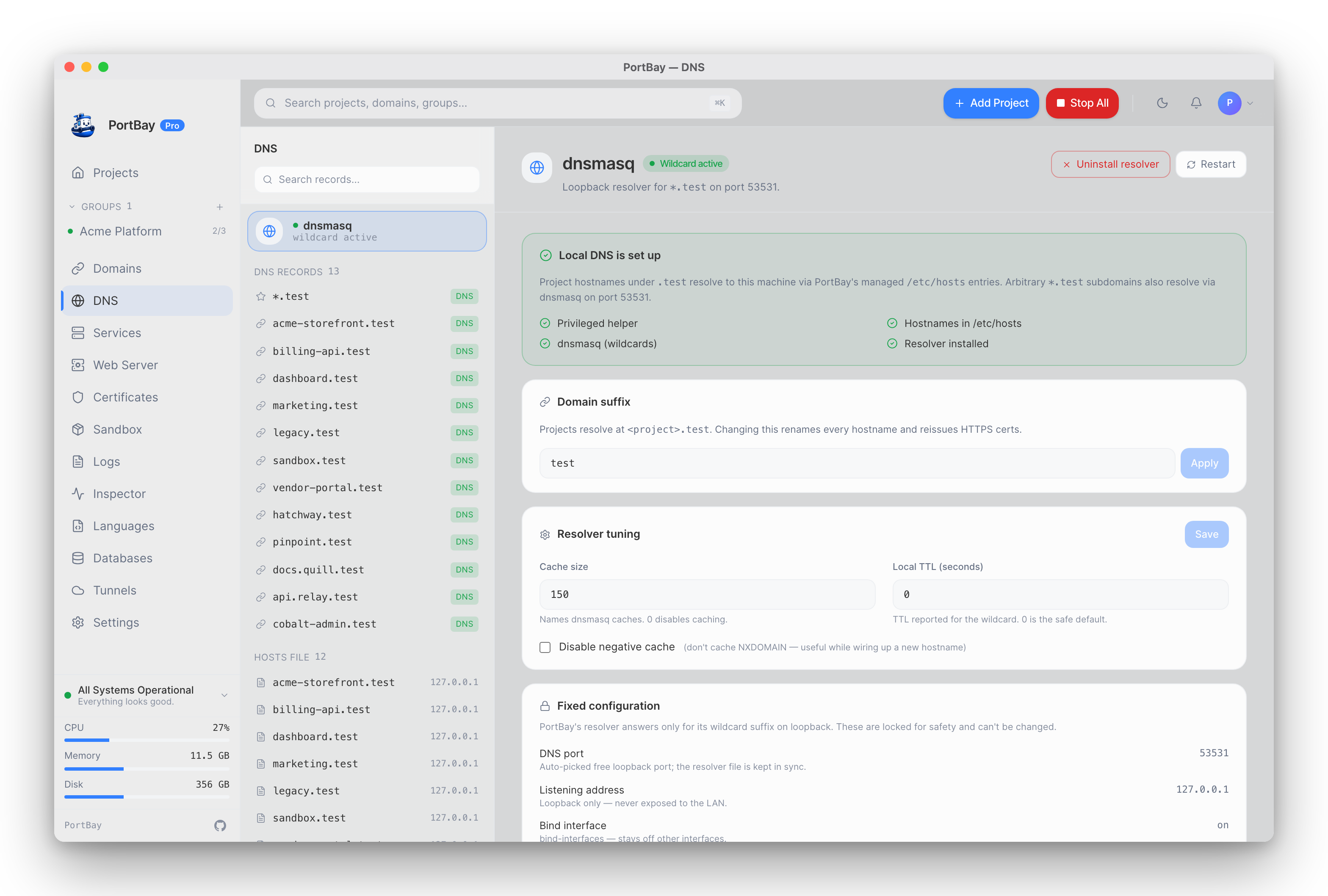
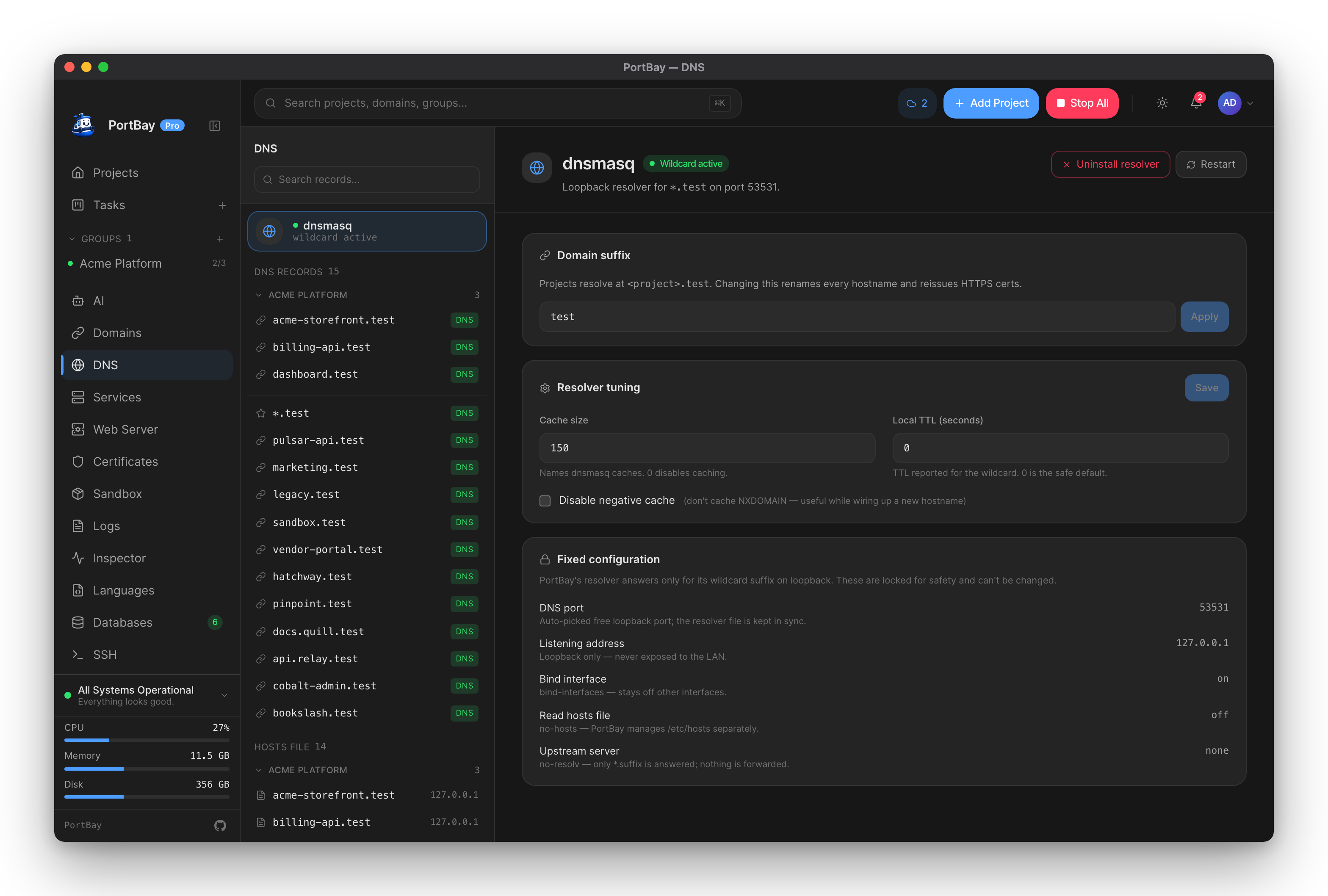
Two Resolution Paths
| Path | Covers | Owned by |
|---|---|---|
| Wildcard resolver | Any *.<suffix> hostname, no per-hostname entry needed | dnsmasq (macOS: PortBay's bundled sidecar; Linux: the system dnsmasq package) via /etc/resolver/<suffix> |
/etc/hosts entries | Exact hostnames only | The privileged hosts helper (a LaunchDaemon on macOS, a systemd service on Linux) |
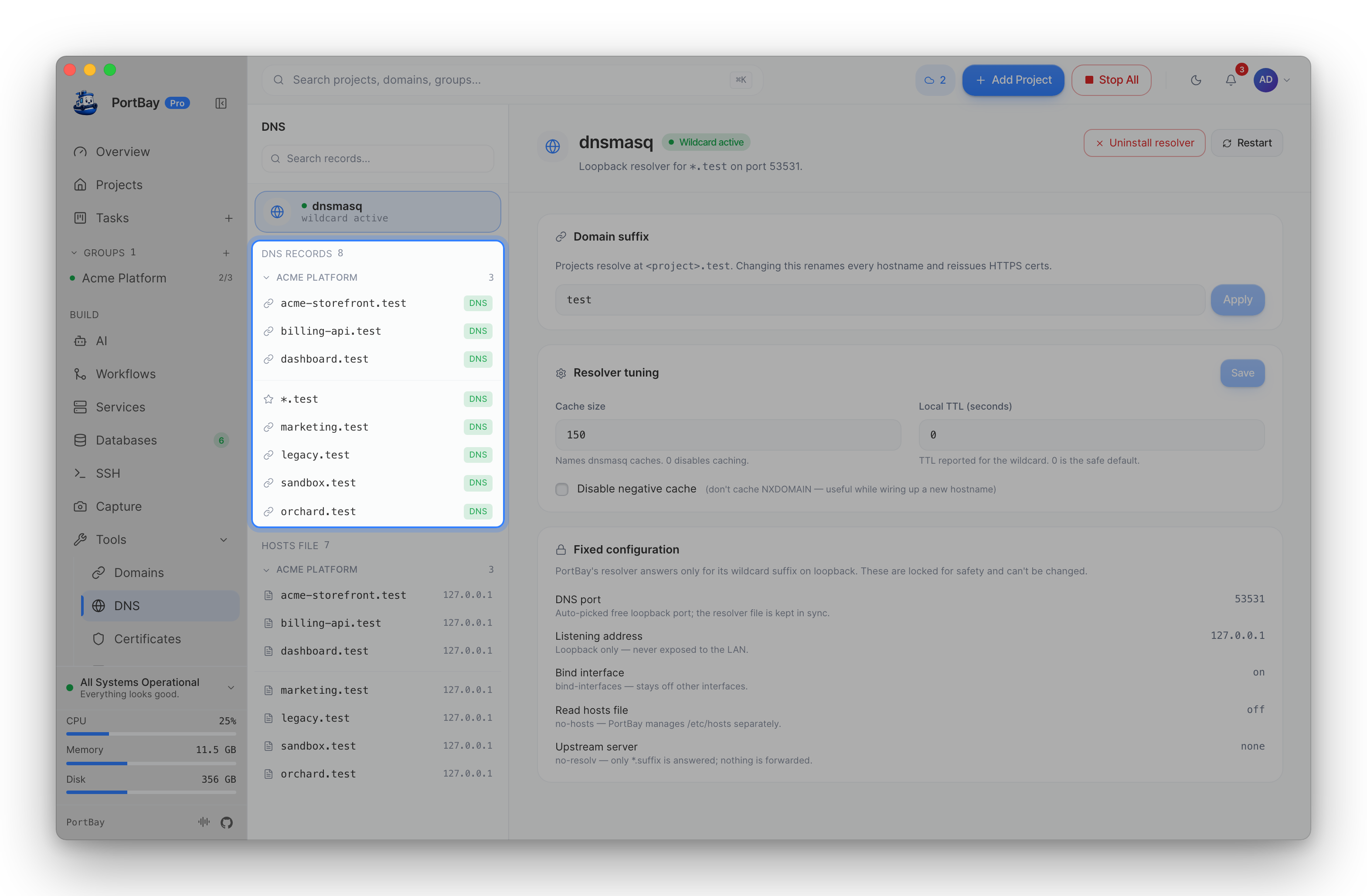
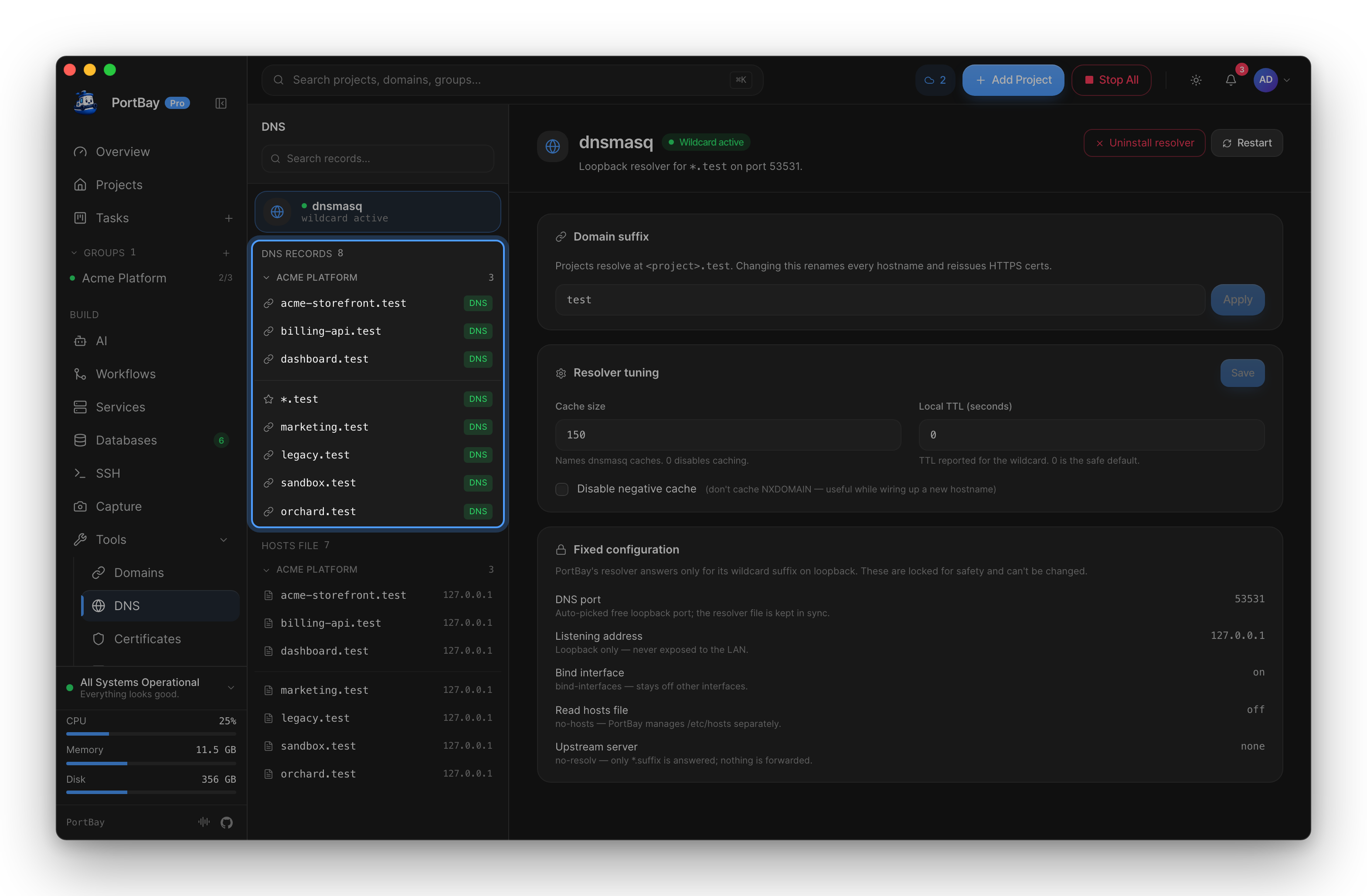
When the wildcard resolver is installed, /etc/hosts is deliberately left untouched for hostnames that resolve fine through it — that's the steady state for most projects. /etc/hosts entries exist for hostnames that don't fit the wildcard pattern, or as the fallback when dnsmasq / the resolver file isn't installed at all.
dnsmasq does not bind port 53. It binds an unprivileged port (25353 by default, scanning upward if that's taken) so it never needs root and never contends with another resolver for the privileged port. The active port is shown on the DNS page and in portbay_dns_status; any manual dig/nslookup against it must pass -p <port> explicitly.
The Privileged Hosts Helper
Writing to /etc/hosts and /etc/resolver/<suffix> requires root. PortBay installs a small privileged helper (portbay-hosts-helper) once, as a macOS LaunchDaemon (com.portbay-app.portbay.hosts-helper) or Linux systemd service, so every subsequent hostname write happens without a fresh authorization prompt. It listens on a Unix socket restricted to your user id at the OS level (socket permissions plus a kernel peer-credential check) and applies a request, then goes idle — it's not a persistent proxy or file-access surface.
The daemon's suffix is pinned at install time and never re-derived from a request:
- The allowed domain suffix (e.g.
test) is baked into the daemon's launch arguments when it's installed. A request that names a different suffix is rejected outright — even another local process running as you cannot make the daemon trust a suffix it wasn't installed with. - Public TLDs (
.com,.net, and other reserved suffixes) are rejected at install time and, independently, at request time — the daemon will not install a resolver or write a hosts entry for one regardless of what the caller claims. - Every hostname write is constrained to
127.0.0.0/8— the daemon refuses to point any hostname at a non-loopback IP. A genuine LAN-sharing feature would need its own explicit opt-in gate; this constraint is not something a request can bypass.
This means changing the domain suffix — a Pro feature; see Custom Domain Suffix — has to re-pin the daemon to the new suffix, which fires one more admin prompt. Routine hostname add/remove for the suffix you already have never prompts again.
Diagnosing Resolution Failures
Doctor (Settings → Doctor, or portbay doctor) runs the checks below automatically and is the fastest way to find where the chain breaks:
- Resolver file present? Checks
/etc/resolver/<suffix>exists and targets the port dnsmasq actually bound. /etc/hostsin the expected state? Compares the managed block against what the registry + resolver state together imply should be there — not "every project," since wildcard-covered hostnames are correctly absent from/etc/hostsonce the resolver is installed. This precise comparison is what stopped Doctor from emitting a false "missing hosts entries" warning in that steady state.- End-to-end DNS resolution — actually resolves a live project hostname and reports what it got back, catching a VPN or corporate DNS override hijacking the suffix even when every file-based check above still reads healthy. See Troubleshooting → DNS Under VPN / Corporate Networks for what to do when this fails.
- Port 80/443 reachability — proactively flags another process squatting Caddy's ports before you hit a failed project start.
Via MCP (Agent-Driven)
Three tools cover DNS and domain-suffix tasks:
portbay_dns_status— read the active suffix, whether the platform resolver file is installed, the dnsmasq port it targets, and the persisted dnsmasq tuning. Starting or restarting dnsmasq is done from the app.portbay_list_dns_records— list every name PortBay resolves (the wildcard plus one row per project hostname), each tagged with whether it's routed viadnsmasqor/etc/hosts.portbay_set_domain_suffix— change the suffix for every project at once. High-blast-radius: it rewrites all project hostnames and drops their HTTPS cert directories (the app reissues certs on reconcile), and re-pins the privileged helper. Reserved public TLDs are rejected. Confirm with the user before calling.
See the Tool Reference for the full argument and return-type details.